





PUG DEVELOPMENT · FIVEM
From the First Traffic Stop to the Final Verdict
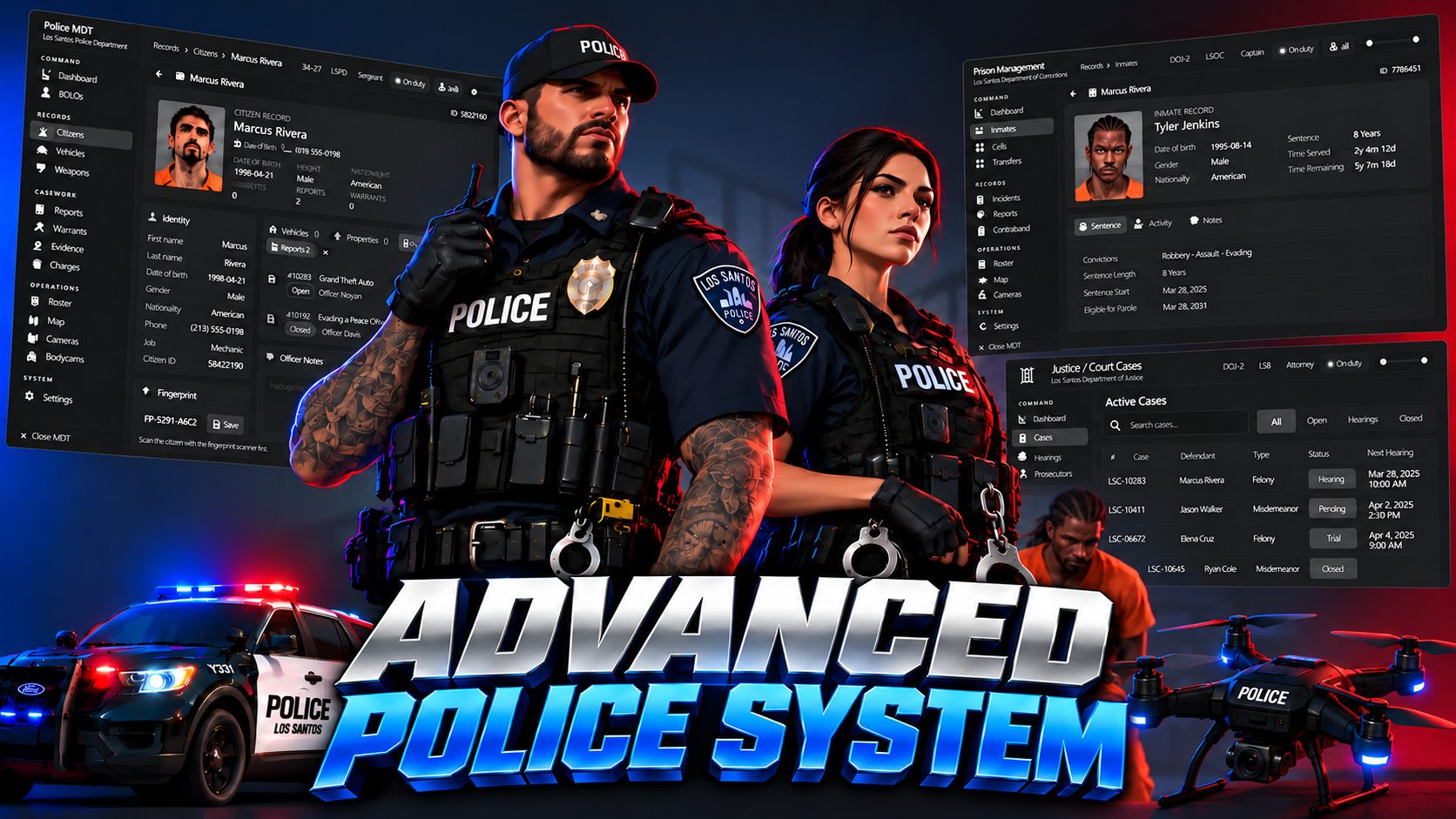
Build your department, patrol the streets, investigate crime scenes and take cases through court. Give officers a collaborative MDT and their own custom fleet, while inmates work, train, trade contraband and plan their escape. Police, prison and justice roleplay come together in one connected FiveM package.
🏢 Both the police headquarters and prison MLOs are included.
QBCore | ESX
Police Job
Patrol interactions, K9s, equipment, forensics, traffic enforcement and department management
MDT
Records, live report collaboration, dispatch, cameras, investigations and officer development
Police Builder
In-game vehicle equipment, appearance and lighting customization
DOJ
Cases, hearings, warrants, bail, sentencing, jury sessions and citizen legal services
Prison
Booking, jobs, progression, activities, contraband, breakouts and guard controls
MRPD MLO
Police headquarters, operational rooms, custody areas, training facilities and helipad
Bolingbroke MLO
Prison housing, booking, visitation, work areas, infirmary and yard
Every component above is included in this package.
Set up facilities, manage staff and build the vehicles your officers will use on duty.
In-game police point creator
Place armories, garages, personal lockers, evidence lockers, uniform stations, duty points, labs, boss terminals, recruitment desks, public-records terminals, shooting ranges and trash points.
Duty system
Clock on and off at placed duty points, with configurable on-duty requirements for department facilities.
Rank-controlled armory
Set equipment access by rank, price items or make them free, and choose cash or bank payments.
Department garage
Spawn department vehicles, including saved custom Police Builder builds.
Personal and evidence lockers
Provide personal storage and evidence storage, with configurable personal evidence lockers.
Uniform stations
Give officers placed locations to access their department clothing setup.
Boss menu
View the roster, hire and fire, promote staff, add notes, manage department funds and review the activity log.
Duty hours
Track officers' time on duty alongside department management.
Job applications
Create department test forms, set review requirements, assign reviewers and accept or reject applications, with decision notifications and supported phone-mail delivery.
Turn armory restocking into a supply run officers have to complete and criminals can intercept.
Limited department supplies
Choose which armory items can run out, from forensic kits and armor to rifles, shields and drone cases. Selected items draw from stock shared across that department's armories.
Configurable item limits
Pick the supply items, set their starting quantities and stock caps, and adjust each department's current stock through the in-game admin menu.
Rank-controlled ordering
Authorized ranks use the armory's Supply tab to check stock, incoming supplies and available capacity, then choose quantities and place, change or cancel orders before the cutoff.
Scheduled shipments
Set daily or weekly deliveries, or specific dates and times. Configure order deadlines and how long shipments remain available for pickup.
Order-anytime option
Allow orders outside scheduled deliveries, with configurable preparation time and an ordering cooldown.
Automatic repeat orders
Save a recurring supply list for scheduled deliveries, with order quantities limited by stock capacity and supplies already on the way. Officers still have to collect and deliver the shipment.
Depot pickup and delivery
Place Supply Depots, truck spawn locations and Supply Docks in game. A depot or dock can serve multiple departments, with routes guiding officers to the truck and delivery point.
Hands-on unloading
Drive the supply truck back, unload its crates and carry them into the department's armory. Stock is replenished as crates are handed in.
Criminal interception
When robbery is enabled, criminals can intercept an active shipment, plant C4 through the built-in detonator minigame, blow open the rear doors and steal the cargo still aboard, subject to inventory capacity. Stolen supplies never reach the armory.
Robbery and shipment alerts
Notify on-duty officers when supplies are ready and warn the department when someone starts rigging the truck. Optionally create an MDT robbery dispatch call.
Delivery rules
Choose the truck model and number of crates, configure the C4 minigame rounds, fuse and looting time, and enable or disable shipment robberies.
Missed pickups and tracking
Configure uncollected shipments to return with the next scheduled delivery or be lost. View upcoming pickups, active shipments and recent delivery history, with logs for orders, deliveries and robberies.
In-game vehicle editor
Build department vehicles directly in game and access the builder from the Police Job radial menu.
Vehicle equipment
Place lightbars, LED pods, pushbars, antennas, sirens, gun racks, laptops and other interior equipment.
Part controls
Move, rotate and resize parts with a gizmo, with undo and redo as you work.
Department appearance
Add lettering, badges, stripes and callsigns, and edit vehicle roof numbers.
Department livery editor
Choose department styles, colors and wording for supported vehicles.
Painted text and shapes
Paint onto livery-capable vehicles so the design follows the body. Other vehicles can use 3D badges and stripes.
Lighting patterns
Choose flash patterns and speed, takedown lights, left and right alley lights, scene lights and a traffic advisor.
Saved builds
Save by vehicle model and department, apply them to vehicles and copy a build from another vehicle.
Garage persistence
Configured owned vehicles retain their builds by plate when brought back out of a garage.
Builder permissions and custom parts
Set access by job and rank, require duty if desired and add your own props to the parts catalog.
Give officers distinct tools for everyday policing, evidence work, specialist searches and training.
Cuffs and soft cuffs
Restrain suspects, uncuff them, escort them, put them in vehicles and take them back out.
Cuff-break minigame
Give suspects an interactive chance to break free from handcuffs.
Vehicle extraction
Pull a person from a vehicle with a skill check.
Frisk and body scan
Inspect suspects through a close-up body-scanning view, with heat zones around pockets and legs for configured contraband.
Inventory search
Search a suspect's inventory through the configured inventory integration.
Seizures and billing
Seize cash or licenses and issue fines as part of the arrest process.
NPC arrests
Cuff, frisk, search and escort NPCs as well as players.
NPC traffic stops
Pull local drivers over, check licenses, run plates, search and ticket them, with the possibility of a driver fleeing.
Police badge
Show your badge to identify yourself during interactions.
Police radial menu
Access restraint, search, justice, traffic, scene, forensics, K9, vehicle, equipment and command actions from one menu.
Six dog breeds
Choose German Shepherd, Labrador, Rottweiler, Doberman, Husky or Retriever.
Appearance editor
Change the dog's coat and vest options to suit your unit.
Voice commands and command wheel
Control your K9 by speaking commands or using the wheel and its shortcuts.
Contraband searches
Have the dog sniff people and vehicles for configured drugs and other contraband.
Leash and movement commands
Leash or unleash, follow, sit, stay, lie down and enter or exit vehicles.
Attack command
Direct the K9 onto a target during an encounter.
Dog tricks
Use bark, paw, roll-over and potty commands.
Officer access
Control K9 access through jobs, duty requirements and the MDT K9 certification.
Crime-scene evidence
Discover and collect blood, shell casings, fragments and fingerprints.
UV light and forensic kit
Work the scene with specialist collection tools and evidence bags.
Vehicle fingerprint dusting
Dust vehicles for prints and perform a field print lift.
Fingerprint scanner
Take a suspect's fingerprints during an investigation.
Gunshot-residue tests
Swab suspects for GSR, with configurable residue duration and optional washing rules.
Evidence camera
Take dated crime-scene photographs and attach them through the MDT evidence camera roll.
Forensics lab
Analyze collected evidence at a lab workstation and file the resulting report into the MDT.
Evidence storage
Keep collected material in the department's evidence lockers and manage evidence records in the MDT.
Citation book
Issue paper tickets with immediate or later payment, due dates and optional late fees.
Citation options
Choose the payment account, configure late-fee amounts and an optional officer commission.
LIDAR radar gun
Measure vehicle speed on a live device screen with plate reading.
Patrol radar
Use front and rear radar with plate lock and ALPR from the MDT system.
Speed cameras
Capture speeding vehicles and photographs, with automatic tickets or officer-reviewed enforcement.
Speed zones
Create temporary traffic speed-control zones.
Spike strips
Place road spikes or deploy them remotely from a spike case.
Grappler net
Deploy a vehicle-mounted Grappler net during pursuits.
Wheel boots
Immobilize vehicles with a boot and a release-fee payment.
Impound and State Tow
Send local vehicles to State Tow or impound owned vehicles with a fee.
Taser
Use a taser with visible probes and wires.
Beanbag shotgun
Equip officers with a less-lethal beanbag option.
Pepper spray
Use pepper spray during close-range encounters.
GPS tracking dart launcher
Fire a tracking dart to follow a target vehicle.
Riot shields
Choose clear or black riot shields.
Night-vision goggles
Equip wearable night vision for dark environments.
Heartbeat sensor
Use a handheld heartbeat sensor during searches.
Door ram
Breach supported doors, with configurable rank, duty, hit-count and relock settings and an optional signed search-warrant requirement for supported housing.
Breathalyzer kit
Run a breath test and print a result slip.
Metal detectors
Use a handheld wand or place a walk-through detector.
Megaphone and vehicle PA
Address nearby people through a handheld megaphone or a vehicle's public-address system.
Panic button
Send a panic call from the radial menu, with the MDT marker following the officer.
Automatic officer-down alerts
Optionally send an officer-down call when an on-duty officer goes down, with configurable tracking and cooldowns.
Live unit GPS
Track units with configurable names or callsigns, flashing light indicators and siren rings.
Helicopter camera
Use thermal or night vision, vehicle lock-on and markers.
Helicopter spotlight and rappel
Illuminate a scene from the air and rappel from a hovering helicopter.
Police drone
Deploy the drone from its hard case, manage its flight batteries and use its thermal view.
Phone-call tracing
Use the tracing laptop and signal locks to locate the other party on an officer's active supported phone call.
Wearable bodycam
Wear a chest camera with a REC overlay and provide a live feed for MDT viewing.
Synced emergency controls
Synchronize lights, siren tones, air horn and manual siren between officers.
Scene kit
Place police tape, cones, barriers, evidence markers, lights and other scene props.
Live briefing whiteboard
Draw, add notes and place pictures on a board that updates for everyone.
Shooting range
Choose qualification, reaction, precision or moving-target practice, with easy, normal and hard difficulty, scores, accuracy, qualifications and leaderboards.
Range creator
Place and configure shooting lanes for your own training area.
Community service
Assign service through the MDT or commands, with mop and litter minigames in zones you place.
Ankle monitors
Fit a monitor, set home areas, curfews and exclusion zones, track the wearer and manage charging.
Jail newspaper
Turn jailings into newspaper articles that players can buy at newspaper stands.
Use the MDT for records, real-time collaboration, dispatch and the development of your department.
Tablet or window
Use the MDT as a tablet held by the officer or switch to its UI window.
Department dashboard
Read bulletins and communicate in officer chat.
Citizen profiles
View mugshots, licenses and records, with profile tags, flags and notes.
License records
Manage weapon, hunting and fishing licenses with configured expiry periods.
Vehicle lookup
Search vehicles, view their images and record stolen flags.
Weapon registry
Look up weapon serials and ownership, with automatic registration hooks for ox_inventory weapons.
Report templates
Use templates for incidents, arrests, traffic stops, use of force, pursuits, DUI, robberies, shots fired, domestic disturbances, collisions, searches, field interviews and warrant requests.
EMS reports
Give EMS its own MDT access and templates for patient care, trauma, overdoses, cardiac arrests and refusal of care.
Editable report templates
Maintain default and department-specific templates for your server's reporting needs.
Multi-suspect reports
Record several suspects, their charges and sentencing information in the same report.
Live collaborative reports
Officers editing the same saved report see typing, cursors, charges and field changes live.
Individual undo
Each officer can undo their own report edits without undoing a colleague's work.
Investigation cases
Organize case files and work an investigation board.
Warrants and BOLOs
Manage wanted notices and warrants, including judge-signed warrants from the included DOJ system.
Evidence page
Browse evidence records and the camera roll for scene photographs.
Editable penal code
Let authorized ranks manage charges, offense classes, fines, jail time, license points and offense tiers.
Justice actions
Apply jail time, fines and community service through the MDT, with sentencing and charge reductions.
Probation records
Track probation periods and terms, including court-ordered probation.
Dispatch interface
Use the call list, HUD, incoming pop-ups, waypoint keys, panic sounds and live panic tracking.
Unit statuses and live map
Coordinate units and calls on the map and update officer status.
Civilian emergency calls
Receive 911, 311 and anonymous 911 calls.
CCTV editor and live views
Place cameras in the world, view them live, pan, zoom and take snapshots.
Bodycam and dashcam viewing
Watch live officer and vehicle camera feeds in the MDT.
Public records
Let civilians view the penal code, their own record and court calendar, and submit complaints or commendations.
Roster and certifications
Manage Air, K9, Motor, Interceptor, SWAT, Detective and FTO certifications.
Practical certification courses
Run Air, Motor, Interceptor and SWAT training activities, including driving and flying courses.
Field training
Track trainees through phases and evaluations covering driving, officer safety, radio, reports, laws, traffic stops, arrests and other skills.
Internal Affairs
Manage complaints, investigation findings and disciplinary outcomes with rank-based access.
Awards and commendations
Recognize officers through nominations, approvals and department awards.
SOP library
Keep department procedures accessible inside the MDT.
Department identity
Configure branding and department themes for LSPD, BCSO, Rangers, DOC, DOJ and EMS.
Activity records
Review audit history and configure Discord logs for department activity.
The included DOJ system connects police evidence with hearings, warrants, bail, sentencing and legal services.
Court tablet
Provide role-based access for judges, chief justice, district attorneys, attorneys, clerks and on-duty police.
Case types
Manage criminal, traffic, civil and family cases.
Case workflow
Record parties, MDT charges, pleas, filings, motions and rulings, and seal or unseal cases.
Linked police evidence
Attach MDT reports to a court case with their evidence.
Court docket
Schedule arraignments, bail hearings, trials, sentencing and other hearings.
Hearing notices
Notify involved parties, with supported phone-mail delivery.
Failure to appear
A judge's failure-to-appear ruling forfeits posted bail and creates a signed arrest warrant.
Arrest and search warrants
Police or prosecutors request warrants, judges review and sign them, and signed warrants appear in the MDT.
Bail at the clerk desk
Judges set bail and another player can pay it, releasing the defendant from the included prison.
Verdicts and sentences
Order prison time, fines, restitution, community service and probation.
Offline defendants
Queue prison sentences and community service for a defendant's next login.
Probation integration
Write court-ordered probation and its terms into the MDT.
Court sessions
Open a session with an in-room court banner.
Judge's gavel
Use the gavel with feedback for the courtroom.
Citizen jury
Summon real citizens to serve on a jury and collect their guilty or not-guilty votes.
Petitions
Submit expungement, name-change, marriage, divorce and business-license petitions for court review.
Expungement
Approved expungements update linked MDT records and seal the relevant closed court records.
Court documents
Issue subpoenas, summons, court orders, restraining orders, judgments and certificates.
Read and show papers
Let citizens read their court documents and show them to another nearby person.
State Bar
Admit, suspend or revoke attorneys through chief-justice permissions.
Request an attorney
Let citizens ask available attorneys for representation.
Court setup
Place clerk desks and courtrooms using the in-game DOJ editor.
Court logs
Configure Discord logs for cases, hearings, warrants, bail, documents, petitions and jury activity.
Prison includes booking, progression and activities for inmates, alongside tools for guards and opportunities for breakouts.
Booking sheet
Enter an inmate's sentence and charges from police or MDT jail actions.
Mugshots
Take front and side booking photographs and send the front mugshot to the MDT profile.
Transport options
Send inmates straight to intake or have an officer drive them there, with a configurable transport time limit.
Intake process
Store property, change into prison clothes, receive an inmate ID card and assign a cell.
Sentence display
View the remaining sentence and inmate ID card.
Sentence settings
Choose how long a prison month lasts, whether offline time counts, sentence limits and a life-sentence threshold.
Release options
Use the release desk to collect stored property or configure automatic release.
Cash on intake
Optionally hold cash with the inmate's stored property and return it on release.
Inmate kiosks
Check sentence details, credits, jobs, courses and orders.
Visitor deposits
Use a deposit kiosk to put funds toward an inmate's prison credits.
Commissary
Order prison supplies with inmate credits.
Canteen
Collect meal trays and use the prison dining facilities.
Kitchen job
Prepare meals as a hands-on prison work activity.
Laundry job
Fold and stack prison clothing.
Plate-shop job
Stamp license plates at a press.
Janitor job
Clean spills with the mop activity.
Electrical job
Diagnose and repair maintenance cabinets.
Job rewards
Earn credits, skill experience and sentence reductions through work.
Skills and courses
Develop fitness, culinary, industry and electrical skills, with additional crafting, chemistry and basketball progression.
Prison reputation
Build reputation through inmate activities, with progression tracked on the prison profile.
Gym activities
Use bench press, squats, curls, push-ups, sit-ups and chin-ups.
Basketball
Play basketball in the prison yard.
Infirmary
Use infirmary beds for recovery.
Working payphones
Place collect calls that the recipient can accept, using the configured voice system.
Visitation booths
Request and hold visits through the prison visitation system.
Yard dealer
Trade with the prison's contraband dealer.
Searchable and hiding spots
Search prison locations for items and stash contraband in hiding spots.
Hands-on crafting
Make a shank, bolt cutters or a sock lock.
Pruno
Make prison wine.
Dirty meth
Cook contraband inside prison.
Drone airdrops
Use a burner phone and flare to arrange and collect a delivery.
Breakout preparation
Obtain the blueprint and work on perimeter sensor cabinets and their wires.
Fence cutting
Cut through both fences link by link as part of an escape.
Guard control terminal
View inmates and manage sentence time, cells, solitary, alarms and headcounts.
Lockdown
Lock down configured prison doors through the supported doorlock integration.
Perimeter controls
Monitor breaches and manage sensor and fence repairs.
Escape alerts
Send an escaped inmate alert to the MDT dispatch.
Prison map blips
Configure markers for cells, release, kiosks, commissary, work, visitation, infirmary and other facilities.
Prison editor
Place prison interactions, edit settings, manage inmates and configure logs in game.
Map layouts
Load presets for the included Pug Bolingbroke, default Bolingbroke or Gabz prison. The Gabz map itself is a separate third-party asset.
The package includes both the station and prison MLOs, with spaces for the activities described above.
Public and staff areas
Lobby and front desk, briefing room, squad room, sergeant and captain offices.
Operational rooms
Armory, evidence room, forensics lab, lockers, showers and server room.
Custody spaces
Sallyport, booking, interview and observation rooms, holding cells and staff break room.
Motor pool and access
Basement motor pool with garage access.
Training area
Shooting range and ready room.
Roof and exterior
Rooftop helipad with stair and elevator access, plus an exterior lot, guard booth and rising bollards.
Housing
Two-tier cell housing, a dayroom, officer desk and control area, showers, segregation and gym.
Mess and laundry
Dining hall, kitchen and laundry spaces for prison activities.
Front-gate facilities
Security screening, visitation booths, sallyport, booking, holding and staff lockers.
Infirmary
Reception, pill line, ward, isolation rooms, examination space and pharmacy.
Prison yard
Basketball and outdoor gym areas.
Choose department permissions, gameplay rules and supported integrations for your installation.
Frameworks
QBCore and ESX integrations across the system.
Inventory integrations
Bridges for ox_inventory, qb-inventory, qs-inventory, ps-inventory, lj-inventory and ak47_inventory, with feature availability dependent on the inventory's APIs and setup.
Target interactions
ox_target and qb-target integrations for supported interactions.
QB police compatibility
Compatibility handlers expose police counts, alerts and common police actions for resources using the supported QB interfaces.
Dispatch compatibility
The MDT includes ps-dispatch compatibility hooks for supported events and exports.
Optional pug-sling integration
Hide back-mounted weapons during supported close-up interactions when pug-sling is installed.
Department settings
Adjust MDT presentation, armory payments, duty access, panic and officer-down behavior, door-ram rules, GPS display, impound fees, citations and GSR settings.
Role and rank controls
Configure department jobs, permitted ranks and access rules across police, prison, builder and DOJ tools.
Core setup
QBCore or ESX, OneSync, oxmysql and ox_lib.
Voice features
pma-voice for supported voice interactions, including megaphones and prison calls.
Camera thumbnails
screenshot-basic for CCTV thumbnail capture.
Door control
configured door IDs with ox_doorlock or qb-doorlock for prison lockdowns.
Vehicle liveries
suitable livery-capable models for painted designs. Converted stock vehicles require the corresponding livery resource.
DOJ setup
configured court jobs and roles, a society account for court funds, and placed clerk desks and courtrooms.
Follow the documentation to add items and images and migrate conflicting police, MDT, dispatch and prison resources. Optional third-party assets and integrations are distinct from the included Police system.
TAGS: QBCore, QBOX, ESX, NEW
Our support team is available 24/7 on Discord to assist you with any questions.
Join Discord 24/7 Community SupportYour purchase is delivered automatically right after checkout. No waiting.
All transactions are processed through Tebex with enterprise-grade encryption.
Get all future updates and improvements included with your purchase at no extra cost.

Gift Police & Prison System and have it sent directly to their CFX.re account, so you don't have to transfer it after purchase.
