Give your EMS department work worth clocking in for.
Pug Ambulance Job turns treatment into something medics do with their own hands and patients can see on their own body. A medic sets the trauma case down, cuts the clothes away, finds the real problem and treats it step by step. The hospital behind them has X-rays, ultrasound, blood work and full surgery, and server owners build all of it in game.
This purchase includes the Ambulance Job, the MDT and the Free Pillbox Medical Center MLO.
QBCore | QBOX | ESX
🌍 Languages: English | Chinese | Japanese | French | Polish | Spanish | German
Medics work from a close-up camera with 23 tools, including sutures, bandages, tourniquets, chest seals, splints, casting tape, IV fluids, an oxygen mask and a stethoscope. Clothes are cut off with trauma shears before the wound can be reached.
16 treatment plans cover trauma and medical emergencies, from gunshots and burns to strokes and overdoses. Injuries can hide a bullet, an arterial bleed or a collapsed lung until the medic checks for them, so two patients with the same wound do not always need the same care.
The work is done with the mouse. Hold to flush a wound, click in each stitch, drag to wrap a bandage and draw medication into a syringe.
Three armor vests that any player can wear. Light, Medium and Heavy hold 25, 50 and 100 armor. A new vest starts empty, and each armor plate you load adds 25 armor until it is full.
Vests have durability, so every hit they soak up wears them down until they break. Each vest keeps its own durability and stored armor when you take it off, and /medical shows your armor and the condition of the vest you are wearing.
Wounds appear on the body and change as they are cleaned and closed. Bandages, dressings, tourniquets, splints, ECG leads and IV lines show for every nearby player. Casts stay on until a medic removes them, and other players can sign them.
Six body parts, over 340 named injuries, staged bleeding and limping give players a reason to visit a medic before they drop. When they do go down there are 15 death screens to choose from, a call for EMS and a hospital bed respawn. Fist fights can end in a knockout instead.
Medics run the AED from pads to shock and follow a CPR rhythm with live feedback. Public AED cabinets cover the times no medic is available.
An X-ray room marks fractures and bullet fragments on a skeleton viewer. A six-window FAST ultrasound has medics guide the probe to look for internal bleeding. Bedside monitors show live vitals, and blood tests report blood type, blood alcohol and recent drugs.
9 procedures, from an exploratory laparotomy and a craniotomy to plates and screws for a broken bone. Surgeons move through anaesthesia, incision, repair and closing with 13 instruments, while 8 drugs on the anaesthesia cart keep the patient stable.
Vitals are live and complications can strike mid operation. A second medic can join as the anaesthetist, and 16 training scenarios let new surgeons practice on an NPC.
Eight blood types, paid blood draws, a blood bank and transfusions with real compatibility. Optional systems add 8 everyday ailments, 8 medical emergencies, blood oxygen, addiction and withdrawal for servers that want them.
Stretchers load into the ambulance with the patient and an IV bag. Medics can step into a walk-in ambulance interior with a cot, seats, a vitals monitor, oxygen and supply cabinets. Wheelchairs, crutches and body bags are included.
17 NPC emergency scenarios pay medics and the department, with wrecked cars on crash calls and fire on burn calls. A check-in desk treats patients when medics are busy or offline, a pharmacy sells basic first aid, and an optional field doctor NPC can respond when no EMS are on duty.
/emsadmin places 19 point types with a built-in gizmo, including beds, monitors, X-ray, operating tables, lab bench, supply cabinets, garage, uniforms and public AEDs. Hundreds of settings are changed in game and apply live. Discord logs cover 10 categories.
/emsboss gives leadership a roster, ranks, hiring, staff notes, department funds, automatic duty hours and an activity log. Applications use an in-game form builder with a scored written test.
The MDT gives EMS patient charts with medical, psychiatric and therapy records, 68 diagnoses and 138 medications. Surgeries, blood tests, treated illnesses, blood draws, transfusions and ultrasound scans are added to the chart for you.
It also includes 5 EMS report templates with live shared editing, dispatch with EMS call routing and a live unit map, a roster, employee files, field training and 15 built-in EMS SOPs.
A new interior behind the vanilla Pillbox exterior with a lobby, an eleven-bay ER ward, a trauma room, an X-ray suite, a pharmacy, two operating rooms, recovery, staff areas, a morgue and an EMS garage with six marked bays. Two working elevators connect the garage, the hospital floor and the helipad roof.
QBCore | QBOX | ESX
🌍 Languages: English | Chinese | Japanese | French | Polish | Spanish | German
Inventories: ox_inventory, qb-inventory, ps-inventory, lj-inventory, qs-inventory, codem-inventory, tgiann-inventory and core_inventory.
The Ambulance Job replaces qb-ambulancejob and keeps its common exports and events available for your other scripts. Database tables are created automatically. Remove any other Pillbox map before starting the MLO. Hospital points and settings are saved in the resource's data folder, so keep that folder when you update.
Config files, framework bridges and item install files are left open for editing.
TAGS: QBCore, QBOX, ESX, NEW

$42.49
Give your community a court worth coming back to.
Pug Basketball turns a meetup into a pickup game. Practice your release, work past defenders, pass to a teammate and compete for the next win. Build basketball spots around your city with an in-game court creator, saved setups, adjustable game rules and NPC options for quieter hours.
QBCore | QBOX | ESX | Standalone
🌍 Languages: English | Simplified Chinese | Japanese | French | Polish | Spanish | German
Time jump shots with the release meter, drive for layups and sprint toward a full-size hoop for dunks. Use pump fakes, crossovers, between-the-legs dribbles, behind-the-back moves, spins and stepbacks to create space.
Close defenders and raised hands make the green release window smaller. Attempt steals, block shots and jump for rebounds, giving both teams something to do throughout a possession.
Create or join a pickup game through /bball. Set up teams from 1v1 to 5v5 or choose free for all. Play half court, or use a court with two configured hoops for full-court games.
Choose first to 11, 15 or 21, scoring with 2s and 3s or 1s and 2s, and optional shot clock, make it take it and win by 2 rules. The game lobby handles team selection, while the scoreboard shows live scores and possession.
Completed games display a box score and MVP. Saved stats and a server leaderboard let players follow their wins, points, shooting, assists, rebounds, steals and blocks over time.
Players holding a ball at a court can invite a nearby street NPC to play. Acceptance is configurable, and an NPC can decline. Street NPC recruitment is available for solo pickup play.
Admins can also spawn NPC opponents or teammates, with easy, normal and hard skill choices and configurable ped models.
The /bballadmin creator lets administrators create and name courts, place hoops, add ball spots and adjust each court's three-point distance. A placement gizmo helps align the rim.
Use pole hoops, wall backboards, small wall hoops and arcade machines. Scan for supported hoops already in the map, or register an existing hoop manually. Courts and settings are saved, so setups survive restarts.
QBCore | QBOX | ESX | Standalone
🌍 Languages: English | Simplified Chinese | Japanese | French | Polish | Spanish | German
A framework is optional. No SQL database, inventory, target or external menu resource is required. Administrator access uses ACE permissions or the supported framework's groups, with configurable identifier access.
Install the complete resource, restart the server so the animations stream, then create or configure your courts in game. The resource needs write access to its data folder. Keep that folder when updating to preserve courts, settings and stats.
The HUD toggle command can be matched to your HUD. UI fonts and icons load from Google Fonts and cdnjs. Full-court games need two configured hoops, and dunks use a suitable full-size hoop.
TAGS: QBCore, QBOX, ESX, Standalone, NEW

$25.49
PUG DEVELOPMENT · FIVEM
From the First Traffic Stop to the Final Verdict
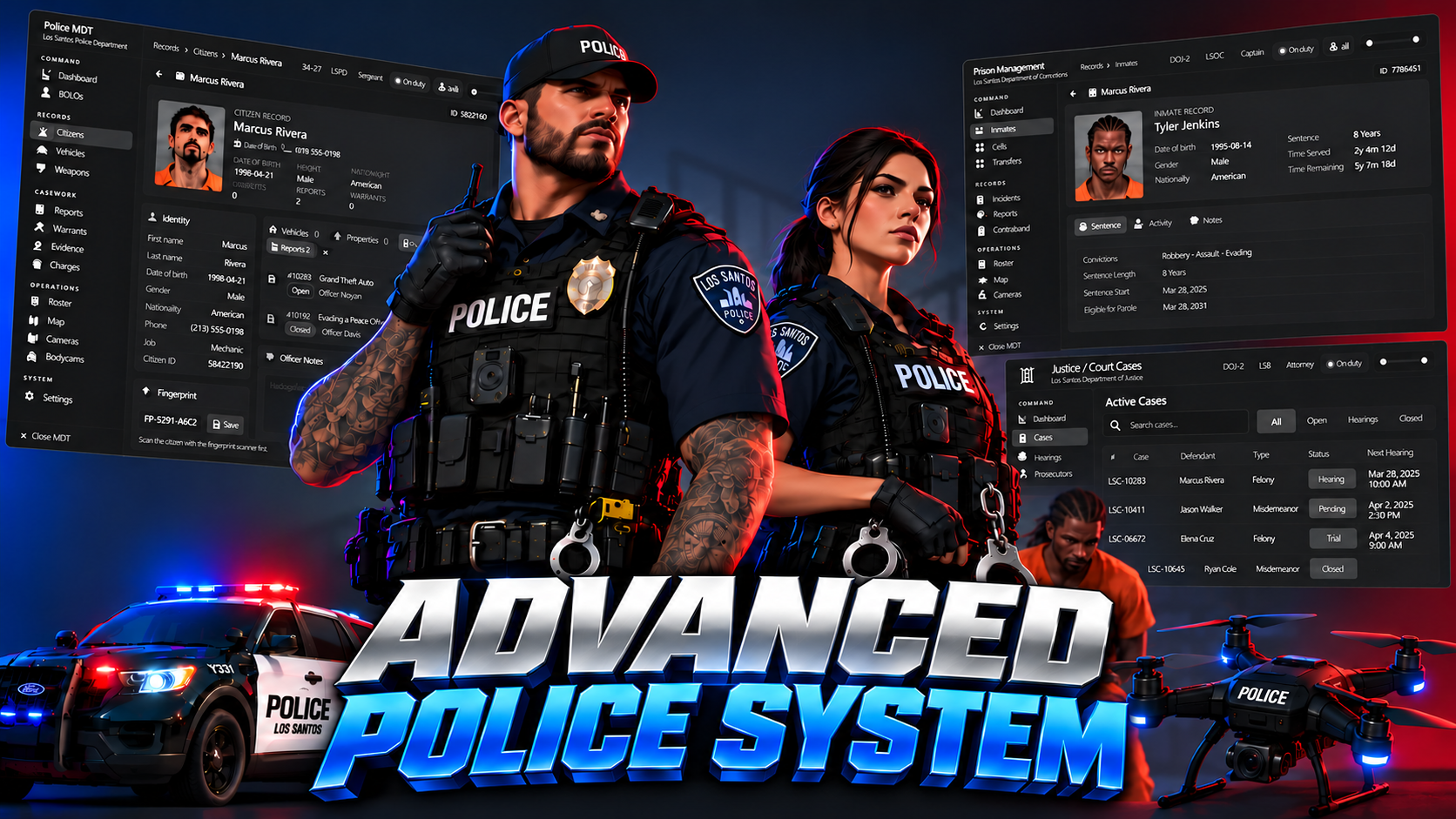
Build your department, patrol the streets, investigate crime scenes and take cases through court. Give officers a collaborative MDT and their own custom fleet, while inmates work, train, trade contraband and plan their escape. Police, prison and justice roleplay come together in one connected FiveM package.
🏢 Both the police headquarters and prison MLOs are included.
QBCore | ESX
Police Job
Patrol interactions, K9s, equipment, forensics, traffic enforcement and department management
MDT
Records, live report collaboration, dispatch, cameras, investigations and officer development
Police Builder
In-game vehicle equipment, appearance and lighting customization
DOJ
Cases, hearings, warrants, bail, sentencing, jury sessions and citizen legal services
Prison
Booking, jobs, progression, activities, contraband, breakouts and guard controls
MRPD MLO
Police headquarters, operational rooms, custody areas, training facilities and helipad
Bolingbroke MLO
Prison housing, booking, visitation, work areas, infirmary and yard
Every component above is included in this package.
Set up facilities, manage staff and build the vehicles your officers will use on duty.
In-game police point creator
Place armories, garages, personal lockers, evidence lockers, uniform stations, duty points, labs, boss terminals, recruitment desks, public-records terminals, shooting ranges and trash points.
Duty system
Clock on and off at placed duty points, with configurable on-duty requirements for department facilities.
Rank-controlled armory
Set equipment access by rank, price items or make them free, and choose cash or bank payments.
Department garage
Spawn department vehicles, including saved custom Police Builder builds.
Personal and evidence lockers
Provide personal storage and evidence storage, with configurable personal evidence lockers.
Uniform stations
Give officers placed locations to access their department clothing setup.
Boss menu
View the roster, hire and fire, promote staff, add notes, manage department funds and review the activity log.
Duty hours
Track officers' time on duty alongside department management.
Job applications
Create department test forms, set review requirements, assign reviewers and accept or reject applications, with decision notifications and supported phone-mail delivery.
Turn armory restocking into a supply run officers have to complete and criminals can intercept.
Limited department supplies
Choose which armory items can run out, from forensic kits and armor to rifles, shields and drone cases. Selected items draw from stock shared across that department's armories.
Configurable item limits
Pick the supply items, set their starting quantities and stock caps, and adjust each department's current stock through the in-game admin menu.
Rank-controlled ordering
Authorized ranks use the armory's Supply tab to check stock, incoming supplies and available capacity, then choose quantities and place, change or cancel orders before the cutoff.
Scheduled shipments
Set daily or weekly deliveries, or specific dates and times. Configure order deadlines and how long shipments remain available for pickup.
Order-anytime option
Allow orders outside scheduled deliveries, with configurable preparation time and an ordering cooldown.
Automatic repeat orders
Save a recurring supply list for scheduled deliveries, with order quantities limited by stock capacity and supplies already on the way. Officers still have to collect and deliver the shipment.
Depot pickup and delivery
Place Supply Depots, truck spawn locations and Supply Docks in game. A depot or dock can serve multiple departments, with routes guiding officers to the truck and delivery point.
Hands-on unloading
Drive the supply truck back, unload its crates and carry them into the department's armory. Stock is replenished as crates are handed in.
Criminal interception
When robbery is enabled, criminals can intercept an active shipment, plant C4 through the built-in detonator minigame, blow open the rear doors and steal the cargo still aboard, subject to inventory capacity. Stolen supplies never reach the armory.
Robbery and shipment alerts
Notify on-duty officers when supplies are ready and warn the department when someone starts rigging the truck. Optionally create an MDT robbery dispatch call.
Delivery rules
Choose the truck model and number of crates, configure the C4 minigame rounds, fuse and looting time, and enable or disable shipment robberies.
Missed pickups and tracking
Configure uncollected shipments to return with the next scheduled delivery or be lost. View upcoming pickups, active shipments and recent delivery history, with logs for orders, deliveries and robberies.
In-game vehicle editor
Build department vehicles directly in game and access the builder from the Police Job radial menu.
Vehicle equipment
Place lightbars, LED pods, pushbars, antennas, sirens, gun racks, laptops and other interior equipment.
Part controls
Move, rotate and resize parts with a gizmo, with undo and redo as you work.
Department appearance
Add lettering, badges, stripes and callsigns, and edit vehicle roof numbers.
Department livery editor
Choose department styles, colors and wording for supported vehicles.
Painted text and shapes
Paint onto livery-capable vehicles so the design follows the body. Other vehicles can use 3D badges and stripes.
Lighting patterns
Choose flash patterns and speed, takedown lights, left and right alley lights, scene lights and a traffic advisor.
Saved builds
Save by vehicle model and department, apply them to vehicles and copy a build from another vehicle.
Garage persistence
Configured owned vehicles retain their builds by plate when brought back out of a garage.
Builder permissions and custom parts
Set access by job and rank, require duty if desired and add your own props to the parts catalog.
Give officers distinct tools for everyday policing, evidence work, specialist searches and training.
Cuffs and soft cuffs
Restrain suspects, uncuff them, escort them, put them in vehicles and take them back out.
Cuff-break minigame
Give suspects an interactive chance to break free from handcuffs.
Vehicle extraction
Pull a person from a vehicle with a skill check.
Frisk and body scan
Inspect suspects through a close-up body-scanning view, with heat zones around pockets and legs for configured contraband.
Inventory search
Search a suspect's inventory through the configured inventory integration.
Seizures and billing
Seize cash or licenses and issue fines as part of the arrest process.
NPC arrests
Cuff, frisk, search and escort NPCs as well as players.
NPC traffic stops
Pull local drivers over, check licenses, run plates, search and ticket them, with the possibility of a driver fleeing.
Police badge
Show your badge to identify yourself during interactions.
Police radial menu
Access restraint, search, justice, traffic, scene, forensics, K9, vehicle, equipment and command actions from one menu.
Six dog breeds
Choose German Shepherd, Labrador, Rottweiler, Doberman, Husky or Retriever.
Appearance editor
Change the dog's coat and vest options to suit your unit.
Voice commands and command wheel
Control your K9 by speaking commands or using the wheel and its shortcuts.
Contraband searches
Have the dog sniff people and vehicles for configured drugs and other contraband.
Leash and movement commands
Leash or unleash, follow, sit, stay, lie down and enter or exit vehicles.
Attack command
Direct the K9 onto a target during an encounter.
Dog tricks
Use bark, paw, roll-over and potty commands.
Officer access
Control K9 access through jobs, duty requirements and the MDT K9 certification.
Crime-scene evidence
Discover and collect blood, shell casings, fragments and fingerprints.
UV light and forensic kit
Work the scene with specialist collection tools and evidence bags.
Vehicle fingerprint dusting
Dust vehicles for prints and perform a field print lift.
Fingerprint scanner
Take a suspect's fingerprints during an investigation.
Gunshot-residue tests
Swab suspects for GSR, with configurable residue duration and optional washing rules.
Evidence camera
Take dated crime-scene photographs and attach them through the MDT evidence camera roll.
Forensics lab
Analyze collected evidence at a lab workstation and file the resulting report into the MDT.
Evidence storage
Keep collected material in the department's evidence lockers and manage evidence records in the MDT.
Citation book
Issue paper tickets with immediate or later payment, due dates and optional late fees.
Citation options
Choose the payment account, configure late-fee amounts and an optional officer commission.
LIDAR radar gun
Measure vehicle speed on a live device screen with plate reading.
Patrol radar
Use front and rear radar with plate lock and ALPR from the MDT system.
Speed cameras
Capture speeding vehicles and photographs, with automatic tickets or officer-reviewed enforcement.
Speed zones
Create temporary traffic speed-control zones.
Spike strips
Place road spikes or deploy them remotely from a spike case.
Grappler net
Deploy a vehicle-mounted Grappler net during pursuits.
Wheel boots
Immobilize vehicles with a boot and a release-fee payment.
Impound and State Tow
Send local vehicles to State Tow or impound owned vehicles with a fee.
Taser
Use a taser with visible probes and wires.
Beanbag shotgun
Equip officers with a less-lethal beanbag option.
Pepper spray
Use pepper spray during close-range encounters.
GPS tracking dart launcher
Fire a tracking dart to follow a target vehicle.
Riot shields
Choose clear or black riot shields.
Night-vision goggles
Equip wearable night vision for dark environments.
Heartbeat sensor
Use a handheld heartbeat sensor during searches.
Door ram
Breach supported doors, with configurable rank, duty, hit-count and relock settings and an optional signed search-warrant requirement for supported housing.
Breathalyzer kit
Run a breath test and print a result slip.
Metal detectors
Use a handheld wand or place a walk-through detector.
Megaphone and vehicle PA
Address nearby people through a handheld megaphone or a vehicle's public-address system.
Panic button
Send a panic call from the radial menu, with the MDT marker following the officer.
Automatic officer-down alerts
Optionally send an officer-down call when an on-duty officer goes down, with configurable tracking and cooldowns.
Live unit GPS
Track units with configurable names or callsigns, flashing light indicators and siren rings.
Helicopter camera
Use thermal or night vision, vehicle lock-on and markers.
Helicopter spotlight and rappel
Illuminate a scene from the air and rappel from a hovering helicopter.
Police drone
Deploy the drone from its hard case, manage its flight batteries and use its thermal view.
Phone-call tracing
Use the tracing laptop and signal locks to locate the other party on an officer's active supported phone call.
Wearable bodycam
Wear a chest camera with a REC overlay and provide a live feed for MDT viewing.
Synced emergency controls
Synchronize lights, siren tones, air horn and manual siren between officers.
Scene kit
Place police tape, cones, barriers, evidence markers, lights and other scene props.
Live briefing whiteboard
Draw, add notes and place pictures on a board that updates for everyone.
Shooting range
Choose qualification, reaction, precision or moving-target practice, with easy, normal and hard difficulty, scores, accuracy, qualifications and leaderboards.
Range creator
Place and configure shooting lanes for your own training area.
Community service
Assign service through the MDT or commands, with mop and litter minigames in zones you place.
Ankle monitors
Fit a monitor, set home areas, curfews and exclusion zones, track the wearer and manage charging.
Jail newspaper
Turn jailings into newspaper articles that players can buy at newspaper stands.
Use the MDT for records, real-time collaboration, dispatch and the development of your department.
Tablet or window
Use the MDT as a tablet held by the officer or switch to its UI window.
Department dashboard
Read bulletins and communicate in officer chat.
Citizen profiles
View mugshots, licenses and records, with profile tags, flags and notes.
License records
Manage weapon, hunting and fishing licenses with configured expiry periods.
Vehicle lookup
Search vehicles, view their images and record stolen flags.
Weapon registry
Look up weapon serials and ownership, with automatic registration hooks for ox_inventory weapons.
Report templates
Use templates for incidents, arrests, traffic stops, use of force, pursuits, DUI, robberies, shots fired, domestic disturbances, collisions, searches, field interviews and warrant requests.
EMS reports
Give EMS its own MDT access and templates for patient care, trauma, overdoses, cardiac arrests and refusal of care.
Editable report templates
Maintain default and department-specific templates for your server's reporting needs.
Multi-suspect reports
Record several suspects, their charges and sentencing information in the same report.
Live collaborative reports
Officers editing the same saved report see typing, cursors, charges and field changes live.
Individual undo
Each officer can undo their own report edits without undoing a colleague's work.
Investigation cases
Organize case files and work an investigation board.
Warrants and BOLOs
Manage wanted notices and warrants, including judge-signed warrants from the included DOJ system.
Evidence page
Browse evidence records and the camera roll for scene photographs.
Editable penal code
Let authorized ranks manage charges, offense classes, fines, jail time, license points and offense tiers.
Justice actions
Apply jail time, fines and community service through the MDT, with sentencing and charge reductions.
Probation records
Track probation periods and terms, including court-ordered probation.
Dispatch interface
Use the call list, HUD, incoming pop-ups, waypoint keys, panic sounds and live panic tracking.
Unit statuses and live map
Coordinate units and calls on the map and update officer status.
Civilian emergency calls
Receive 911, 311 and anonymous 911 calls.
CCTV editor and live views
Place cameras in the world, view them live, pan, zoom and take snapshots.
Bodycam and dashcam viewing
Watch live officer and vehicle camera feeds in the MDT.
Public records
Let civilians view the penal code, their own record and court calendar, and submit complaints or commendations.
Roster and certifications
Manage Air, K9, Motor, Interceptor, SWAT, Detective and FTO certifications.
Practical certification courses
Run Air, Motor, Interceptor and SWAT training activities, including driving and flying courses.
Field training
Track trainees through phases and evaluations covering driving, officer safety, radio, reports, laws, traffic stops, arrests and other skills.
Internal Affairs
Manage complaints, investigation findings and disciplinary outcomes with rank-based access.
Awards and commendations
Recognize officers through nominations, approvals and department awards.
SOP library
Keep department procedures accessible inside the MDT.
Department identity
Configure branding and department themes for LSPD, BCSO, Rangers, DOC, DOJ and EMS.
Activity records
Review audit history and configure Discord logs for department activity.
The included DOJ system connects police evidence with hearings, warrants, bail, sentencing and legal services.
Court tablet
Provide role-based access for judges, chief justice, district attorneys, attorneys, clerks and on-duty police.
Case types
Manage criminal, traffic, civil and family cases.
Case workflow
Record parties, MDT charges, pleas, filings, motions and rulings, and seal or unseal cases.
Linked police evidence
Attach MDT reports to a court case with their evidence.
Court docket
Schedule arraignments, bail hearings, trials, sentencing and other hearings.
Hearing notices
Notify involved parties, with supported phone-mail delivery.
Failure to appear
A judge's failure-to-appear ruling forfeits posted bail and creates a signed arrest warrant.
Arrest and search warrants
Police or prosecutors request warrants, judges review and sign them, and signed warrants appear in the MDT.
Bail at the clerk desk
Judges set bail and another player can pay it, releasing the defendant from the included prison.
Verdicts and sentences
Order prison time, fines, restitution, community service and probation.
Offline defendants
Queue prison sentences and community service for a defendant's next login.
Probation integration
Write court-ordered probation and its terms into the MDT.
Court sessions
Open a session with an in-room court banner.
Judge's gavel
Use the gavel with feedback for the courtroom.
Citizen jury
Summon real citizens to serve on a jury and collect their guilty or not-guilty votes.
Petitions
Submit expungement, name-change, marriage, divorce and business-license petitions for court review.
Expungement
Approved expungements update linked MDT records and seal the relevant closed court records.
Court documents
Issue subpoenas, summons, court orders, restraining orders, judgments and certificates.
Read and show papers
Let citizens read their court documents and show them to another nearby person.
State Bar
Admit, suspend or revoke attorneys through chief-justice permissions.
Request an attorney
Let citizens ask available attorneys for representation.
Court setup
Place clerk desks and courtrooms using the in-game DOJ editor.
Court logs
Configure Discord logs for cases, hearings, warrants, bail, documents, petitions and jury activity.
Prison includes booking, progression and activities for inmates, alongside tools for guards and opportunities for breakouts.
Booking sheet
Enter an inmate's sentence and charges from police or MDT jail actions.
Mugshots
Take front and side booking photographs and send the front mugshot to the MDT profile.
Transport options
Send inmates straight to intake or have an officer drive them there, with a configurable transport time limit.
Intake process
Store property, change into prison clothes, receive an inmate ID card and assign a cell.
Sentence display
View the remaining sentence and inmate ID card.
Sentence settings
Choose how long a prison month lasts, whether offline time counts, sentence limits and a life-sentence threshold.
Release options
Use the release desk to collect stored property or configure automatic release.
Cash on intake
Optionally hold cash with the inmate's stored property and return it on release.
Inmate kiosks
Check sentence details, credits, jobs, courses and orders.
Visitor deposits
Use a deposit kiosk to put funds toward an inmate's prison credits.
Commissary
Order prison supplies with inmate credits.
Canteen
Collect meal trays and use the prison dining facilities.
Kitchen job
Prepare meals as a hands-on prison work activity.
Laundry job
Fold and stack prison clothing.
Plate-shop job
Stamp license plates at a press.
Janitor job
Clean spills with the mop activity.
Electrical job
Diagnose and repair maintenance cabinets.
Job rewards
Earn credits, skill experience and sentence reductions through work.
Skills and courses
Develop fitness, culinary, industry and electrical skills, with additional crafting, chemistry and basketball progression.
Prison reputation
Build reputation through inmate activities, with progression tracked on the prison profile.
Gym activities
Use bench press, squats, curls, push-ups, sit-ups and chin-ups.
Basketball
Play basketball in the prison yard.
Infirmary
Use infirmary beds for recovery.
Working payphones
Place collect calls that the recipient can accept, using the configured voice system.
Visitation booths
Request and hold visits through the prison visitation system.
Yard dealer
Trade with the prison's contraband dealer.
Searchable and hiding spots
Search prison locations for items and stash contraband in hiding spots.
Hands-on crafting
Make a shank, bolt cutters or a sock lock.
Pruno
Make prison wine.
Dirty meth
Cook contraband inside prison.
Drone airdrops
Use a burner phone and flare to arrange and collect a delivery.
Breakout preparation
Obtain the blueprint and work on perimeter sensor cabinets and their wires.
Fence cutting
Cut through both fences link by link as part of an escape.
Guard control terminal
View inmates and manage sentence time, cells, solitary, alarms and headcounts.
Lockdown
Lock down configured prison doors through the supported doorlock integration.
Perimeter controls
Monitor breaches and manage sensor and fence repairs.
Escape alerts
Send an escaped inmate alert to the MDT dispatch.
Prison map blips
Configure markers for cells, release, kiosks, commissary, work, visitation, infirmary and other facilities.
Prison editor
Place prison interactions, edit settings, manage inmates and configure logs in game.
Map layouts
Load presets for the included Pug Bolingbroke, default Bolingbroke or Gabz prison. The Gabz map itself is a separate third-party asset.
The package includes both the station and prison MLOs, with spaces for the activities described above.
Public and staff areas
Lobby and front desk, briefing room, squad room, sergeant and captain offices.
Operational rooms
Armory, evidence room, forensics lab, lockers, showers and server room.
Custody spaces
Sallyport, booking, interview and observation rooms, holding cells and staff break room.
Motor pool and access
Basement motor pool with garage access.
Training area
Shooting range and ready room.
Roof and exterior
Rooftop helipad with stair and elevator access, plus an exterior lot, guard booth and rising bollards.
Housing
Two-tier cell housing, a dayroom, officer desk and control area, showers, segregation and gym.
Mess and laundry
Dining hall, kitchen and laundry spaces for prison activities.
Front-gate facilities
Security screening, visitation booths, sallyport, booking, holding and staff lockers.
Infirmary
Reception, pill line, ward, isolation rooms, examination space and pharmacy.
Prison yard
Basketball and outdoor gym areas.
Choose department permissions, gameplay rules and supported integrations for your installation.
Frameworks
QBCore and ESX integrations across the system.
Inventory integrations
Bridges for ox_inventory, qb-inventory, qs-inventory, ps-inventory, lj-inventory and ak47_inventory, with feature availability dependent on the inventory's APIs and setup.
Target interactions
ox_target and qb-target integrations for supported interactions.
QB police compatibility
Compatibility handlers expose police counts, alerts and common police actions for resources using the supported QB interfaces.
Dispatch compatibility
The MDT includes ps-dispatch compatibility hooks for supported events and exports.
Optional pug-sling integration
Hide back-mounted weapons during supported close-up interactions when pug-sling is installed.
Department settings
Adjust MDT presentation, armory payments, duty access, panic and officer-down behavior, door-ram rules, GPS display, impound fees, citations and GSR settings.
Role and rank controls
Configure department jobs, permitted ranks and access rules across police, prison, builder and DOJ tools.
Core setup
QBCore or ESX, OneSync, oxmysql and ox_lib.
Voice features
pma-voice for supported voice interactions, including megaphones and prison calls.
Camera thumbnails
screenshot-basic for CCTV thumbnail capture.
Door control
configured door IDs with ox_doorlock or qb-doorlock for prison lockdowns.
Vehicle liveries
suitable livery-capable models for painted designs. Converted stock vehicles require the corresponding livery resource.
DOJ setup
configured court jobs and roles, a society account for court funds, and placed clerk desks and courtrooms.
Follow the documentation to add items and images and migrate conflicting police, MDT, dispatch and prison resources. Optional third-party assets and integrations are distinct from the included Police system.
TAGS: QBCore, QBOX, ESX, NEW
$50.99
PUG DEVELOPMENT · FIVEM
The Ultimate FiveM Companion Experience
Carry a monkey in your backpack, take your dog for a drive, walk around with a bird on your shoulder, or explore through your companion’s camera. Bring custom animals, real voice commands, detailed interactions, and a complete adoption experience to your server.
🏪 Paw Pets MLO included at no extra cost.
Turn the pet shop into a player-run business with employees, stock management, business funds and a sales ledger. Keep the regular NPC shop if you prefer.
Carry supported smaller pets in your arms and put them down safely.
Give pets a home where they can stay out for everyone to see, even after server restarts.
Transfer ownership with an acceptance form, including the pet’s clothing and accessories.
Speak To Your Companion
Say “sit,” “follow me,” “give me a paw,” “roll over,” or “get in the car,” and your pet performs its supported action.
Customizable Listening
Choose continuous listening or push-to-talk, customize command phrases, and set an optional wake word. Speech recognition runs locally on the player’s computer.
Multiple Control Options
Players can also use the command wheel, pet menu, or chat commands.
Ride Your Horse
A rare horse pet is also included! Purchase a saddle to ride your horse around.
Bring A Friend
Upgrade to a double saddle and bring a friend along for the ride.
Sell Pets Through Your Store
Sell pets directly through your server’s Tebex store, giving players the option to purchase animals with real money.
129 Clothing And Accessory Styles
Dress supported pets with hoodies, jackets, costumes, hats, glasses, chains, shoes, wings, backpacks, mouth toys, and more.
932 Style And Color Choices
Mix different pieces and colors to create your companion’s own look.
Live Shopping Preview
Rotate and zoom around the actual animal to see how clothing looks before purchasing.
Saved Wardrobe
Purchased pieces and colors stay saved to the pet they were bought for. Switch between owned clothing without buying the same items again.
Monkeys And Apes
Throw a banana and your companion runs over, picks it up, sits down, and eats it. Includes species-specific reactions and animations.
House Cats
Toss a catnip mouse and watch your cat pounce, roll around, and rub its cheeks against the toy. Cats also have grooming behavior.
Dogs
Throw a tennis ball for your dog to retrieve and bring back. Supported dogs can sit, speak, give a paw, roll over, and perform potty actions.
Big Cats, Turtles And Birds
Big cats stalk and pounce. Turtles hide in their shells and roll over. Birds dance, vocalize, and perch on shoulders where supported.
Carry Your Pet On Your Back
Supported companions sit inside fitted backpack carriers with custom seated poses.
Shoulder Companions
Smaller supported birds perch on your shoulder and travel with you. Give stay and follow commands to move them between the ground and your shoulder.
Vehicle Companions
Tell your pet to get in the car and take it around the city. Supported pets use available passenger seats with animal-specific poses, while shoulder birds remain with their owner.
Live Pet Camera
Equip a visible camera mount and watch from your companion’s perspective. Only the pet’s owner can access its feed.
Control Mode
Switch into control mode to move the pet yourself.
Signal Range
Interference increases as your companion travels farther away, with connection loss beyond the maximum range.
5 Tag Styles And 8 Colors
Choose a classic round tag, bone, military ID, heart, or premium crest.
Personalized Engraving
Add the pet’s name, owner name, phone number, messages, extra text, and an icon.
Interactive Inspection
Nearby players can inspect the tag, turn it over, and read both sides.
Contact The Owner
Tag phone actions include qb-phone support, with configurable integration hooks for other phone resources.
A Complete Pet Store
Includes dog and cat suites, primate and exotic habitats, tropical bird and reptile displays, a tortoise garden, a small-animal section, and a supplies counter.
Meet Before You Adopt
Walk through the habitats and interact with animals on display. Inspect the breed, coat, and price, choose a name, and adopt that individual pet.
Limited Habitat Stock
Each habitat holds a configurable number of animals. Once someone adopts one, its spot stays empty until it restocks.
Automatic Restocking
Sold spots refill after 24 hours by default with a randomly selected breed and coat from that habitat’s allowed selection.
Rotating Selection
Unadopted animals rotate after 7 days by default. Both timers are configurable, giving players a reason to return and discover new companions.
Your Pets Stay Yours
Store rotation changes animals available for adoption. It does not replace pets players already own.
Personal Pet Collection
Own multiple companions, rename them, call them out, put them away, and manage their clothing and equipment. Server owners control ownership limits.
Food And Water
Species-specific meals, fresh water, needs displays, and low-needs warnings. Consumption pauses while a pet is put away.
Visible Leashes
Walk supported pets with a leash running from your character’s hand to the pet’s clip. Includes slack and tension behavior with 9 color choices.
Sleeping Beds
Place, rotate, move, and pick up reusable beds. Supported pets can sleep in their fitted bed and be woken through the command wheel.
Manage the main pet system settings directly in game:
Additional voice and camera options are available through the configuration files.
🐒 Monkeys & Apes
Squirrel Monkey, Spider Monkey, Proboscis Monkey, Mandrill, Chimpanzee, Gorilla, Orangutan.
🐅 Big Cats
Lion, Tiger, Black Panther, Leopard, Cheetah, Mountain Lion.
🦎 Lizards
Green Iguana, Bearded Dragon, Chameleon, Frilled Lizard, Monitor Lizard, Tegu.
🐍 Snakes
Python, Rattlesnake, King Snake.
🦜 Birds
Scarlet Macaw, Sulphur-crested Cockatoo, Galah Cockatoo, African Grey, Rainbow Lorikeet, Budgerigar, Toucan, Great Hornbill, Flamingo, Red-tailed Hawk, Crow, Dove, Pigeon, Seagull, Cormorant.
🐺 Wild Companions
Wolf, Hyena, Coyote, Wild Boar.
🐢 Turtles & Tortoises
Tortoise, Red-eared Slider, Softshell Turtle.
🐕 Dogs
Great Dane, German Shepherd, Husky, Rottweiler, Doberman, Pit Bull, Dalmatian, Labrador, Retriever, Chow Chow, French Bulldog, Bulldog, Pug, Beagle, Basset Hound, Chihuahua, Miniature Schnauzer, Shih Tzu, Yorkshire Terrier, Poodle, West Highland Terrier.
🐈 House Cats
Maine Coon, Bengal, Sphynx, Persian, Ragdoll, Siamese, British Shorthair, Tuxedo Cat.
🐇 Small Animals
Rabbit, Fancy Rat.
🐄 Farm Animals
Cow, Pig, Hen.
Clothing, equipment, commands, and animations vary by species and breed.
✅ QBCore ✅ QBOX / QBX ✅ ESX
✅ English ✅ Spanish ✅ Chinese ✅ Japanese
✅ French ✅ Polish ✅ German
TAGS: QBCore, QBOX, ESX, NEW

$42.49
PUG DEVELOPMENT · FIVEM
Custom & Animated FiveM Weapon Skins
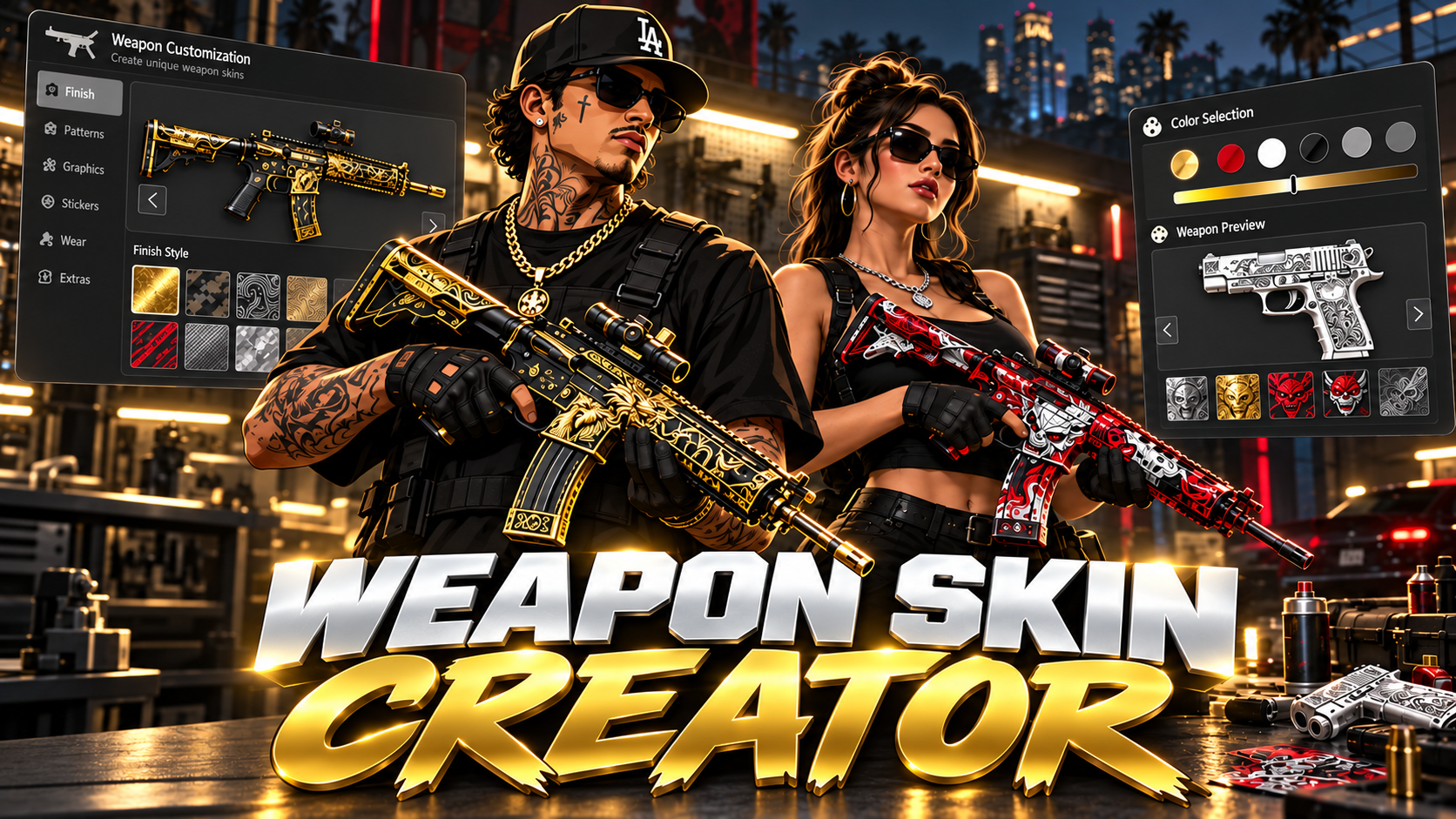
Create and manage custom weapon skins directly inside FiveM. Players can paint their weapons, add animated designs and 3D charms, and share approved creations across all FiveM servers running the script. Server owners control prices, tools, approvals, and access through the in-game admin panel.
🎬 Preview: Coming soon · 💰 Price: $34.99
Edit skin prices, creative tools, design limits, approvals, presets, dealer vans, workbenches, rendering, and kill-counter settings directly in game. Save changes live without editing code.
Gang, Job & Player Restrictions
Allow everyone to use the studio or restrict access to selected gangs, jobs, and individual characters. QBCore/Qbox gang detection is included, with custom bridge support for other gang systems.
Staff Approval & Moderation
Review player submissions, approve or reject with notes, manage reports, and control public sharing. Set blocked words, allowed image sites, design limits, and rejection refunds.
Activity Logs
Track submissions, reviews, sales, moderation, and settings changes, with optional Discord logging.
Share approved skins across all FiveM servers running the script through one shared hub. Players can browse designs from other servers, like, dislike, favorite, and import them through your own approval rules.
Filter by weapon or sort by newest, most liked, most copied, and most favorited. Share designs with unique skin codes and image-preview links. Imported designs are checked against your local creative limits.
Includes 42 3D weapon charms, from dice and skulls to a rubber duck, pug, donut, and crown. Players choose where the charm attaches, adjust its position, and mirror it onto the other side. Charms hang from a clip, swing as the weapon moves, and are visible to nearby players.
Direct Weapon Painting
Paint onto the weapon's surface while rotating and zooming the preview.
Finishes & Patterns
Choose from 43 patterns and finishes including chrome, gold, anodized, chameleon, matte, pearl, paint, and tints. Adjust colors, scale, angle, gloss, wear, dirt, and detail.
Custom Drawings & Pictures
Draw your own stickers with brush, pen, marker, spray, shape, fill, and mirror tools. Paste pictures or import image links. Imported pictures are resized and stored inside the skin.
Stickers, Shapes & Text
Place icons, 19 shapes, and text in 22 fonts with position, size, rotation, outline, opacity, and blending controls.
Layer Editing
Reorder, duplicate, copy, and paste layers, including between skins and weapons. Select the sides or sections each design covers.
Add scrolling patterns, rotation, pulses, color shifts, shimmer, flicker, waves, glow, and rainbow effects. The editor includes 11 animation effects with speed and strength controls on supported layers.
Add live kill counters, player names, weapon names, dates, and supported weapon serials as part of the design.
Nearby players can display different designs on the same supported weapon model. With ox_inventory, a skin can save to an individual gun's serial and stay with it when traded, dropped, or stored. Without serial-based support, skins are saved by weapon type.
Place dealer van spots in game and configure hours, spawn chances, and active limits. Players customize a weapon they carry, view a running price, and submit it for approval at checkout.
Place and rotate workbenches around your map. Choose vans, workbenches, both, command access, or item access for the studio.
Tebex Skin Packs
Build individual skin products or themed packs in the admin panel, then connect them to your own Tebex packages. Manage orders and let players claim purchases, including orders placed while offline. Store skins are excluded from free community acquisition and remixing.
Player Creator Market
Let players sell approved designs locally for in-game money and receive a share of sales. Creators can allow remixes of their work.
QBCore | ESX | QBOX | Standalone
Price: $34.99
TAGS: QBCore, QBOX, ESX, NEW
$29.74
🩸 Pug Gang System – The Ultimate FiveM Gang Script 🔥
A COMPLETE GANG ECOSYSTEM, NOT JUST A BASIC CREW MENU.
🔗 Tebex Script Purchase
🎬 Youtube Script Preview
Player-Created Gangs – Players create and manage gangs without admins building everything manually.
Full Gang Tablet System – The gang experience revolves around a polished tablet UI.
Territory Control & Zone Takeovers – Fight for zones, build reputation, and lock down ownership.
Structured Gang War System – Declare wars, vote on what goes on the line, and battle for real value.
Live Custom Spray Paint System – Upload your gang spray image live in game and claim visual identity.
Full Raid System + Raid Creator – Run prebuilt raids or make your own with guards, safes, and loot.
Gang Missions & Deliveries – Start gang jobs, move packages, and earn rewards and XP.
Gang Upgrades – Unlock and place crafting benches, storage safes, money safes, and garages in owned zones.
Black Market & Rep Economy – Limited stock, dynamic demand, dead drops, and player-driven listings.
Server-Wide Airdrop Events – Create conflict points across the map.
NPC Robbery System – Rob NPCs for cash, drugs, and reputation.
Built-In Drug Selling System – Sell to NPCs, risk rejection, and trigger police alerts.
Built-In Money Wash System – Convert dirty money through a laundering process.
Gang Interaction Systems – Tie up rival gang members and place bags over their heads.
In-Game Admin Control Panel – Manage zones, raids, gangs, ownership, benches, and more without code.
Highly Configurable – Built to match your server.
Player-Driven Gang Progression
Players create gangs, invite members, choose colors, and build their identity.
Territory & Zone Control
Many zones come preconfigured. Earn reputation by cleaning trash, selling drugs, and robbing NPCs in zones. Zones can be contested during takeovers, then locked once secured.
Structured Gang Wars
Both gangs must meet online member requirements before war begins. The defending gang votes to accept or reject the war request. Both gangs vote on what goes on the line, including zones, XP, rep, and bench craftables. Wars persist through restarts and last for a set duration. Winning is based on who earns the most reputation.
Custom Spray Paint System
Upload your gang spray image live in game. Pair sprays with gang colors for unique branding. Persistent through restarts. Balanced paint remover support for owners and rivals.
Gang Upgrade System
Place crafting benches, storage safes, money safes, and garages in owned territory. Bench market items are tied to gang benches, creating scarcity and competition. Police can raid gang safes if gang heat gets too high.
Raid Creator & Raid Content
Includes preconfigured raids. In-game raid creator lets you place guards, safes, loot points, and define each raid. Gangs claim raid contracts and push them as a team.
Black Market & Reputation Economy
Limited stock and high-value unlocks give reputation real meaning. Randomized offers and dead-drop pickups create active market gameplay. Gangs can create their own listings.
Street-Level Crime Systems
Drug sales to NPCs with acceptance, rejection, and police alert chances. Money washing turns dirty money into cashable money orders.
Conflict Drivers
Airdrops, gang missions, delivery jobs, rival interactions, and zone pressure.
QBCore, ESX, QBOX
ox_inventory, qb-inventory, ps-inventory, qs-inventory, lj-inventory, codem-inventory, core_inventory
ox_target, qb-target, qtarget
qb-garages, prime-garages, qbx_garages, jg-advancedgarages, cd_garage, loaf_garage, mt_garages, nolag_garages, okokGarage, rcore_garage, rx_garages, vms_garagesv2, zerio-garage
pug-drugsales (INCLUDED), envi-trapphone, plt_drug_selling, jaksam_drugscreator
TAGS: QBCore, QBOX, ESX

$38.24
🛡️ Pug Admin Menu – The Ultimate FiveM Staff Control System ⚙️
Preview: gRq8Fy0oCbQ
CFX Post: https://forum.cfx.re/t/admin-menu-qbox-esx-qbcore/5396115
CLICK HERE FOR DOCUMENTATION
⚙️ Full QBCore, QBX & ESX Compatibility
🛡️ Complete Staff & Server Management System
Advanced Player Management 👥
Powerful tools for handling players, moderation, and administrative actions in real time.
Interactive Server Map 🗺️
Monitor players and server activity directly through a live map interface.
Live Server Statistics Dashboard 📊
Track server activity, player behavior, and overall trends through a built-in analytics panel.
Player Heatmap Activity System 🔥
Visualize where players are most active across the map with dynamic heatmap overlays.
Integrated Staff Log System 📜
Track moderation actions and player interactions through structured internal logs.
Server Announcements & Alerts 📢
Built-in notification and announcement tools for server-wide staff communication.
Staff Communication Chat 💬
Give staff a dedicated way to communicate and coordinate in-game.
Advanced Moderation Tools
Manage players with tools such as kick, ban, jail, teleport, revive, spectate, freeze, and more.
Server Analytics Dashboard
Monitor player activity and server statistics through a built-in analytics panel.
Player Heatmap System
Visualize where players are most active across the map with dynamic heatmap overlays.
Advanced Player Profiles
View detailed player information including administrative history and logs.
Interactive Server Map
Monitor players and server activity directly through a live map interface.
Integrated Player Log System
Track staff actions and player interactions through structured logs.
Vehicle Management Tools
Manage player vehicles including upgrades, gloveboxes, trunks, and administrative actions.
Notification System
Built-in alert and notification system with customizable screen position.
Highly Optimized
Designed for minimal performance impact on large FiveM servers.
Multi-Framework Support
Compatible with QBCore, QBX, and ESX.
Inventory Compatibility
Works seamlessly with qb-inventory, ox_inventory, tgiann-inventory, and codem-inventory.
Target Systems
Compatible with qb-target and ox_target.
Logging Integration
Optional integration with FiveManage logging for external log storage.
Multi-Language Support
Includes support for English, Spanish, and French, with additional languages easily added.
The Player Management System gives staff powerful tools to manage players efficiently and safely.
Real-Time Player Control
Teleport to players, spectate them, revive them, freeze them, or move them instantly.
Offline Player Management
Manage permissions, bans, and administrative actions even when players are offline.
Player Profiles
View detailed player information including logs and moderation history.
Vehicle Controls
Open gloveboxes, trunks, and upgrade player vehicles directly from the admin interface.
The built-in Server Analytics Dashboard provides valuable insight into server activity.
Player Activity Tracking
Monitor active player counts and activity trends.
Heatmap Visualization
Identify high player activity areas across the map.
Staff Action Monitoring
Track staff actions through structured logs.
The Interactive Map System allows staff to monitor server activity visually.
Live Player Locations
View players directly on the server map.
Quick Navigation
Instantly teleport to players or locations.
Activity Heatmaps
Identify player hotspots across the map.
The system is designed with security and accountability in mind.
Server-Authoritative Permissions
All administrative actions are validated server-side.
Structured Logging
Track moderation actions and player interactions.
FiveManage Integration
Optional external logging for professional server monitoring.
Low Resource Usage
Designed to run efficiently on production servers.
Scalable Architecture
Supports large communities and high player counts.
Modular Design
Many files remain unlocked for customization and server integration.
This script is partially locked with escrow encryption but includes multiple unlocked files for customization and configuration.
TAGS: QBCore, QBOX, ESX

$29.74
💰 Pug Robbery Creator 2.0 – Advanced FiveM Robbery Creation System 🔥
CREATE FULL ROBBERY SYSTEMS DIRECTLY IN GAME WITH NO CODE REQUIRED.
Pug Robbery Creator 2.0 is a complete FiveM robbery creation system built for servers that want custom criminal progression, staged heists, house robberies, ATM robberies, bank trucks, petty crimes, porch pirate jobs, item sellers, hidden traders, and full robbery presets without manually coding every robbery.
THIS IS A BRAND NEW SCRIPT.
If you owned Robbery Creator 1.0, delete the old version and install this one fresh. Re-read the new installation setup, item setup, and documentation.
Robbery Creator 2.0 is a free update for existing Robbery Creator owners.
QBCore ✅
QBOX / QBX ✅
ESX ✅
qb-target ✅
ox_target ✅
Standalone Interaction Support ✅
ox_doorlock ✅
qb-doorlock ✅
rcore_doorlock ✅
cd_doorlock ✅
Robbery Creator 2.0 comes with a full robbery setup already included, so you can install it and immediately have a working criminal progression system ready to edit.
6 Convenience Store Robberies 🛒
40 ATM Robbery Locations 💳
6 Fleeca Bank Robberies 💵
1 Vangelico Jewelry Store Robbery 💎
1 Paleto Bank Robbery 🏦
2 Bank Truck Robberies 🚛
1 Humane Labs Robbery 🧪
1 Large Bank Robbery 🏦
40+ Preset House Robbery Locations 🏠
35+ New Premade House Robbery Items 📦
Petty Crime Prop Robberies 📬
Porch Pirate Package Robberies 📦
Item Seller And Trader Locations 💰
Free Advanced Pawn Shop System Included 🛒
Completely Rebuilt Creator UI
The creator menu has been rebuilt with cleaner organization, better robbery setup flow, popup-based settings, and drag-and-drop robbery stages.
Preset Robbery System
Load, save, create, delete, and share full robbery presets through files. This makes it easy to install included robbery packs, build your own robberies, and share preset files with other Robbery Creator owners.
Included Map Presets
Comes with default map robberies, Gabz MLO presets, and King Maps presets, giving servers a strong starting point without needing to build every robbery from scratch.
Advanced House Robbery Creator
Create full house robberies with shell interiors, loot layouts, homeowners, lasers, security systems, police settings, rewards, cooldowns, minigames, and XP-tier progression.
Petty Crimes Creator
Turn almost any prop into a robbable object, such as mailboxes, parking meters, or custom server props.
Porch Pirate Creator
Place package theft locations around the map where players can rob porch packages for configurable loot.
Live Minigame Manager
Edit, save, duplicate, rename, delete, and test minigame code directly from inside the creator menu.
Global Statistics
Track total robbery runs, completion rate, average take, failed hacks, most popular robberies, and overall heist activity.
Advanced Logging
View detailed robbery activity from inside the menu, including date, time, player, action, robbery ID, success, failure, blocked cooldowns, missing items, and other robbery outcomes.
Robbery Cooldown NPC
Create a hidden NPC where players can check which robberies are currently available or still on cooldown.
Waypoint Step Support
Add map waypoints to robbery steps so players can be directed through multi-location robbery progression.
Advanced Required Steps
Require one or multiple specific robbery steps before another step can be used, instead of forcing every stage to only follow the previous stage.
New Synced Animations
Includes new synced box-opening animations and bolt-cutter chain-cutting animations.
Refined Robbery Logic
Animations, syncing, stage flow, cooldown handling, and robbery edge cases have been cleaned up across the entire script.
The house robbery system lets you create full residential robbery progression with interiors, loot, security, homeowners, and rewards.
Shell And Interior Setup
Create house robberies using shell/interior options, entries, exits, and configurable robbery locations.
Preset Loot Layouts
Use preset shell loot layouts so houses can have different loot setups and feel less repetitive.
Homeowner NPCs
Add homeowners inside houses for extra risk and variation.
Lasers And Security Systems
Add security features such as lasers, alarms, and configured failure behavior.
Rewards And Loot
Configure item rewards, cash rewards, randomized loot, custom house items, and progression-based robbery payouts.
Police Settings
Control dispatch alerts, required police, alert chances, cooldowns, and robbery availability.
Premade House Progression
Includes 40+ preset house robbery locations and 35+ custom premade house robbery items already configured.
The custom robbery creator is the main staged heist builder. It lets you create stores, banks, MLO robberies, Vangelico-style robberies, Humane Labs-style robberies, large bank robberies, or fully custom server heists directly in game.
Unlimited Robbery Stages
Create as many robbery stages as needed for small robberies, medium robberies, or full multi-step heists.
Drag-And-Drop Stage Ordering
Reorder robbery stages inside the UI without rebuilding the entire robbery.
Hackable Doors
Create hackable doors with item requirements, minigames, police alerts, failure penalties, and unlock behavior.
Custom Doors
Add custom door interactions for MLOs, banks, labs, stores, or server-specific interiors.
Sticky Note Passcodes
Place multiple possible sticky note locations and have one randomly selected during a robbery to reveal a passcode.
Keypad Entries
Create keypad stages where players must enter passcodes or complete configured access requirements.
Robbable Objects
Add lootable registers, crates, safes, boxes, paintings, gold carts, evidence lockers, or any custom configured object.
Guard Stages
Spawn armed guards with configurable weapons, behavior, health, armor, and loot drops.
Laser Stages
Add laser traps for higher-risk robberies and custom interiors.
Toxic Gas Hazards
Create robbery areas with toxic gas hazards to force players to move, prepare, or complete objectives quickly.
Blackout Stages
Create stages that trigger power blackouts for tactical robbery progression.
Simultaneous Actions
Require multiple players to interact with different points at the same time.
Waypoint Steps
Send players to specific map locations during a robbery chain.
Advanced Required-Step Logic
Require any specific previous step, multiple previous steps, or custom progression requirements before a stage can be used.
Ending Robbery Scenes
Create ending objectives, final interaction points, and cinematic-style robbery endings.
Failure Penalties
Set penalties such as item loss, explosions, electrocution, police alerts, or failed progression when players mess up a stage.
Configurable Rewards
Set cash, bank money, items, rare loot, randomized rewards, item chances, and reward amounts for each robbery stage.
Create armored truck robberies with configurable truck spawns, guards, entry methods, loot, cooldowns, and police alerts.
Dynamic Truck Spawns
Set unlimited truck spawn locations around the map.
Natural Truck Support
Allow players to rob configured naturally spawned bank trucks if enabled.
Guard Defense
Spawn guards that exit and defend the bank truck.
Thermite Entry
Require thermite or other configured items to open the truck.
Custom Loot
Configure cash, items, reward amounts, reward chances, and rare drops.
Cooldowns And Police Requirements
Control robbery cooldowns, required police, alert chance, dispatch behavior, and failure logic.
Create ATM robberies with item requirements, hacking, drilling, vehicle pulling, rewards, cooldowns, and police alerts.
Configurable ATM Locations
Choose which ATMs can be robbed and control their robbery settings.
Hack And Drill Method
Require players to hack and drill the ATM before looting it.
Vehicle Pull Method
Allow players to attach a rope hook to an ATM and rip it from the wall with a vehicle.
Required Items
Require tools such as drills, rope hooks, unmarked SIM cards, or any custom item.
Minigame Support
Use configurable minigames for hacking, drilling, access, or failure checks.
Rewards And Cooldowns
Configure cash, item rewards, cooldown timers, time restrictions, item loss chances, and police alerts.
Create smaller street-level robberies by turning props into robbable objects.
Robbable Props
Use props such as mailboxes, parking meters, vending machines, crates, or custom map props.
Configurable Rewards
Set item rewards, cash rewards, randomized loot, success chances, and failure penalties.
Police Alerts
Control alert chance, required police, dispatch messages, blips, sounds, and cooldowns.
Server Progression Use
Use petty crimes as early-game criminal progression that leads into larger robberies.
Create package theft locations where players can steal porch packages around the map.
Package Spawn Locations
Place package locations around neighborhoods or custom areas.
Randomized Loot
Configure package rewards, item chances, and payout values.
Cooldowns And Alerts
Control package respawns, cooldowns, dispatch alerts, and police requirements.
Create hidden buyers, criminal traders, pawn-style sell points, or progression-based item exchange locations.
Sell Stolen Goods
Create buyers for paintings, jewelry, electronics, documents, gold, drugs, or any custom item.
Trade Items For Items
Create traders that exchange robbery loot for tools, weapons, C4, thermite, access items, or server-specific progression items.
Timed Exchanges
Require players to wait before collecting their reward, useful for smelting, processing, laundering, or delayed criminal trades.
Custom Requirements
Set item requirements, reward types, police alerts, sell limits, prices, and exchange behavior.
Robbery Creator 2.0 includes a free advanced pawn shop system built to work with robbery loot and server economy progression.
Sell Robbery Loot
Players can sell stolen goods from house robberies or other configured robberies.
Pawn Shop Reputation
Create progression around selling items and building pawn shop rep.
Hot Items
Configure boosted-value items that rotate or become more valuable.
Contracts
Create requested item contracts where players bring specific stolen goods for bonus payouts.
Buyback Support
Allow configured item buyback behavior for deeper economy control.
Edit and test robbery minigames directly from inside the menu.
Edit Minigame Code In Game
Adjust minigame code and settings without digging through files every time.
Test Minigames Live
Run minigames directly from the creator menu while configuring robberies.
Duplicate Difficulty Versions
Duplicate minigames and create easy, medium, hard, or robbery-specific versions.
Third-Party Minigame Support
Supports built-in minigames and can be configured for third-party minigames.
Robbery Creator 2.0 includes built-in tracking so server owners can see how robberies are being used.
Global Robbery Statistics
Track total runs, completion rate, average take, failed hacks, popular robberies, and overall heist traffic.
Advanced Logs Tab
View detailed robbery actions including attempts, successes, failures, blocked cooldowns, missing items, robbery IDs, player data, and timestamps.
Discord Logging Support
Send robbery logs to Discord through configured webhooks.
Robbery Creator 2.0 includes language support for:
English ✅
Spanish ✅
French ✅
Chinese ✅
Japanese ✅
Polish ✅
The script can be quickly translated and switched between supported languages through the configured language system.
Robbery Creator 2.0 supports all FiveM dispatch scripts through configurable dispatch integration.
You can configure police alerts, messages, blips, sounds, priority levels, alert chances, and required police amounts per robbery.
Robbery Creator 2.0 is built to support common FiveM server resources and can be configured for different server setups.
Target Support: qb-target, ox_target, standalone
Inventory Support: qb-inventory, ox_inventory, and other supported inventory systems
Doorlock Support: ox_doorlock, qb-doorlock, rcore_doorlock, and configured custom door systems
Framework Support: QBCore, QBOX / QBX, ESX
This script is partially locked with escrow encryption but includes many unlocked files for customization, configuration, framework edits, item setup, robbery setup, translations, and server-side adjustments.
TAGS: QBCore, QBOX, QBX, ESX

$59.49
🏢 Pug Business Creator 3.0 – Complete FiveM Business Creation System 🔥
CREATE FULL BUSINESSES DIRECTLY IN GAME WITH NO CODE REQUIRED.
Pug Business Creator 3.0 is a complete FiveM business creation and management system built for servers that want restaurants, cafes, bars, clubs, mechanic shops, police businesses, EMS businesses, illegal businesses, player-owned businesses, custom crafting, registers, applications, deliveries, menus, payroll, logs, analytics, and full business management without manually coding every business.
Business Creator 3.0 is a major free update for existing Business Creator owners.
QBCore ✅
QBOX / QBX ✅
ESX ✅
qb-target ✅
ox_target ✅
Standalone Interaction Support ✅
qb-inventory ✅
ox_inventory ✅
qs-inventory ✅
codem-inventory ✅
ak47_inventory ✅
core_inventory ✅
tgiann-inventory ✅
qb-menu ✅
ox_lib ✅
Business Creator 3.0 includes a full tablet UI for managing businesses from one place.
Business Management
Manage business information, employees, ranks, paychecks, finances, payroll, worker hours, bulletins, leaderboards, settings, analytics, logs, applications, and item prices.
Permission-Based Access
Admins and developers can access all businesses, while normal players only see the businesses they have permission to manage.
Live Language Switching
The tablet supports live language switching directly from the settings menu.
Create and manage businesses live in game instead of manually setting up every job, rank, register, garage, crafting station, and business feature through files.
In-Game Business Creator
Create businesses directly in game and connect them to jobs from your framework.
Job And Rank Management
Manage jobs, ranks, employees, boss ranks, paychecks, business members, and permissions from the UI.
Built-In Boss Menu
Business Creator includes its own boss menu system so you do not need to rely on a separate boss menu resource.
Business Finances
Manage business accounts, payroll, sale cuts, employee payouts, worker hours, and business money activity.
Business Creator includes built-in analytics and advanced business logs so owners and developers can track important activity.
Business Analytics
View business balances, employee counts, top ranks, account money, and other important business data.
Advanced Logs
Track sales, payroll, money changes, employee changes, rank updates, setting changes, and other major business interactions.
Owner And Developer Log Access
Developers can view all business logs, while business owners can only view logs for their own business.
Business Creator includes a standalone in-game application system for business hiring.
Custom Applications
Create applications with multiple-choice questions, written-answer questions, or a mix of both.
Application Reviews
Business management can review submitted applications directly in game.
Applicant Emails
Accepted or denied applicants can receive email responses, even if they are offline.
Business Creator includes a full custom item creation system for businesses. [ONLY FOR OX INVENTORY FOR A FEW DAYS]
Custom Food And Drinks
Create food, drinks, regular items, and mystery boxes live in game.
Recipes And Ingredients
Set item recipes, required ingredients, images, labels, animations, and effects.
Crafting Station Integration
Created items can be added directly into business crafting stations.
Restart Requirement
Created items become active after the next server restart, keeping item registration clean and stable.
Business Creator supports interactive food and drink creation instead of only using basic crafting menus.
Food Building
Players can build burgers, pizzas, fries, chicken nuggets, and other configured food items through in-game interactions.
Drink Creation
Players can create coffee, alcohol, energy drinks, juice, and other configured drinks.
Crafting Options
Use interactive food assembly, the custom UI food minigame, or optional progress bar crafting.
Included Ingredients
Includes 40+ food ingredient items for building a more complete business food economy.
Business Creator includes the core systems needed for businesses to create, store, stock, and manage items.
Crafting Stations
Create crafting stations for food, drinks, legal items, illegal items, or any configured business item.
Supply Stations
Create supply cabinets, refrigerator supplies, counter trays, ingredient storage, and item stocking systems.
Personal Lockers
Create employee locker points that players can use for personal storage.
Trash Cans
Create trash cans that remove stored items on restart.
Business Creator includes a custom register UI and menu management system for business sales.
Custom Register UI
Employees can select business items, apply discounts, calculate totals, and manually override the final price if needed.
Inventory-Based Availability
The register prioritizes items the employee has and grays out business items they do not currently have.
Business Sale Cuts
Registers can send a percentage of each sale to the business account and distribute employee sale shares.
Menu Management
Set item prices so workers and customers can view updated business menu pricing.
Business Creator includes order-based gameplay for businesses that want more than basic counter sales.
NPC Delivery Missions
NPCs can request food or item orders from a business, and employees can prepare and deliver the completed order.
Package Orders
Employees can order ingredients or items using business account money and collect them from a placed pickup location.
Business Order Flow
Use incoming orders, item preparation, pickup locations, and deliveries to create more active business gameplay.
Business Creator is built around placeable features that can be created and managed directly in game.
Business Feature Types
Registers, crafting stations, supply cabinets, personal lockers, boss menu targets, duty targets, clothing targets, trash cans, garages, seats, blips, peds, props, animation targets, TVs, poster boards, DUI boards, zones, elevators, and buyable business targets.
Feature Editing
View placed features, teleport to them, edit target text, edit target icons, adjust target size, change interaction distance, lock features to jobs, set boss-only access, edit blips, and stack matching targets.
Improved Placement Tools
Includes smoother prop placement, smoother ped placement, accurate removal, feature help text, and better feature management through the UI.
Business Creator includes utility systems for business vehicles, business areas, and movement between floors.
Business Garages
Create business garages with vehicle selection and configurable spawn behavior.
Business Zones
Create business zones, auto clock-out zones, edit zone height, and place zones accurately with a debug camera.
Multi-Floor Elevators
Create elevators with multiple floors instead of only point-to-point teleporting.
Business Creator includes media and display features for restaurants, clubs, shops, advertisements, menus, and custom server use.
Watchable TVs
Place TVs that can be used for streams, movies, and videos.
Poster Boards
Place poster boards for PNGs, GIFs, menus, and advertisements.
DUI Displays
Create DUI advertisement boards, menu boards, image boards, briefing boards, or other custom display screens anywhere in the world.
Business Creator 3.0 includes full UI, notification, and menu translation support for:
English ✅
Spanish ✅
French ✅
Polish ✅
Chinese ✅
Japanese ✅
This script is partially locked using escrow encryption.
The main client file is escrowed, while major open files are included for configuration, framework edits, target edits, register edits, server-side changes, and integrations.
Pug Business Creator 3.0 is designed for servers that want deep business roleplay without manually coding every business system.
It includes business creation, employee management, ranks, payroll, applications, logs, analytics, crafting, item creation, interactive food building, registers, menus, orders, deliveries, garages, zones, elevators, display boards, TVs, and a complete business tablet UI.
TAGS: QBCore, QBOX, QBX, ESX, FiveM Business Script, FiveM Business Creator, FiveM Restaurant Script, FiveM Job Creator, FiveM Boss Menu, FiveM Crafting Script

$50.99
🔫 Pug Paintball 4.0 – Owned by over 2,000+ servers! 🔥
A FULL GROUND-UP OVERHAUL WITH ADVANCED LOBBIES, CLANS, PROGRESSION, MULTIPLE GAME MODES, AND UNLIMITED MATCH SUPPORT.
This script is partially locked using escrow encryption.
Full Ground-Up Overhaul
Paintball 4.0 is a full rebuild and is essentially a brand new script.
Large Match Support
Supports up to 24 players in a single match, including 12v12 team-based gameplay.
24+ Included Maps
Ships with more than 24 maps, plus support for unlimited custom maps.
Unlimited Simultaneous Lobbies
Run multiple paintball matches at the same time with full lobby isolation.
Advanced Lobby System
Create lobbies with custom names, passcodes, time limits, and live synced match settings.
Team & Clan System
Includes full team and clan support with logos, colors, ranks, and roster management.
Progression System
Features 50 levels and 10 prestige tiers with unique icons.
Global Leaderboards
Global leaderboards are displayed in-world for competitive progression and visibility.
Advanced Scoreboard UI
Includes a polished competitive scoreboard built for organized match play.
Polished Kill Feed & HUD
Improved HUD and kill feed with weapon icons, headshots, and better visual feedback.
40+ Weapon Support
Supports over 40 weapons, including a custom paintball gun.
Pre-Game Loadout Selection
Players can choose their loadout before the match begins.
Killstreaks & Gameplay Extras
Includes features such as UAV, Death Machine, and spectator mode.
Rewritten For Performance
Fully rewritten for better stability, cleaner systems, and stronger performance.
Team Deathmatch
Classic team-based score race gameplay.
Free For All
Every player for themselves.
Capture The Flag
Objective-based team gameplay built around flag captures.
Gun Game
Progress through weapons as you earn kills.
Kill Confirmed
Secure kills by confirming eliminations during the match.
Hold Your Own
Life-based team mode where survival matters.
And More
Supports multiple paintball game styles beyond the standard modes.
Unlimited Custom Maps
Create your own paintball maps anywhere in the GTA 5 world.
Built For Organized Matches
Supports competitive match flow, isolated lobbies, and live game setting control.
Scalable For Communities
Built to handle casual matches, private groups, and larger organized server events.
Spectator Support
Spectate active players and ongoing matches.
Competitive Visual Polish
Improved UI, HUD, kill feed, and overall gameplay presentation.
Modern Match Flow
Built around better pacing, cleaner transitions, and more stable gameplay systems.
Framework Support
QBCore, QBOX, and ESX.
Menu Support
Supports modern UI/menu systems depending on your setup.
Flexible Integration
Designed to fit into a wide range of server setups with configurable systems.
Important Install Note
Paintball 4.0 requires a clean install. Do not overwrite old files. Delete the old Paintball script, re-download 4.0 fresh, drag and drop the new files, and read the README before starting.
TAGS: QBCore, QBOX, ESX

$33.99
🎣 Pug Fishing 2.0 – Advanced FiveM Fishing System 🔥
A COMPLETE REWRITE WITH NEW GAMEPLAY, NEW UI, TOURNAMENTS, TREASURE HUNTS, BOATS, NETS, CRAB TRAPS, COOKING, AND MORE.
Fishing 2.0 is a complete rewrite with new systems, new UI, and new gameplay. Add real depth to your server with tournaments, treasure hunts, boats, nets, crab traps, cooking, and more.
Physical Line Casting
Cast a real fishing line that visually pulls the fish in when you catch one.
Fish Log Collection System
Track every fish you have caught, uncaught fish, and rare trophy catches.
3D Fishing Minigame
A fully 3D skill-based minigame displayed above the fish itself, with unique difficulty based on rod tier.
Dynamic Treasure Maps
Treasure hunt radius blips shrink and change color as players get closer, with a chest icon appearing when the location is found.
New Leaderboards
Track global stats for most fish caught, fishing XP, and tournament wins.
Tournaments
Compete in live fishing tournaments with randomized locations, scoring based on fish type, and exclusive loot rewards.
Boat System + Anchors
Buy and store boats as you rank up, then drop an anchor while fishing offshore.
New Rods + Bait Types
Unlock rods through workbenches and dig for bait and gems with shovels.
Fireplace & Cooking System
Place a fireplace to cook fish or crabs into food items, with a chance to create perfectly cooked fish for bonus value.
Net Fishing System
Use passive fishing nets to gather loot or rare catches while doing other activities.
17 New Fish Species
Includes anglerfish, crawfish, flyfish, halibut, king salmon, ocean sturgeon, rockfish, and more.
Crab Traps & Hotspots
Use passive crab traps or fish in random hotspot areas that boost catch rates.
UI Overhaul
Includes camera zoom and reactive menu animations for a more immersive experience.
Daily & Weekly Challenges
Keep players grinding with repeatable objectives and unique rewards.
Treasure Hunts
Rare treasure maps lead players to dynamic search zones.
Upgradeable Equipment
Craft rods, bait, and tools at workbenches.
XP Rank System
Unlock new perks, rods, and boats as players rank up.
Tournaments
Scheduled fishing competitions with scoring based on fish rarity and rod tier.
Fish Selling System
Flexible, inventory-aware, and compatible with all major inventories.
Skill Upgrades
Improve faster bite times, rare loot chances, and more through progression.
Huge thanks to Ham3D for designing the exclusive fishing rod models that help bring this system to life.
Framework Support
QBCore, QBOX, or ESX. Other frameworks may work but are not officially supported.
Menu Support
qb-menu or ox_lib. Alternative resources based on qb-menu naming may also work.
Target Support
qb-target or ox_target.
TAGS: QBCore, QBOX, ESX

$25.49
👑 Pug Battle Royale 3.0 – Advanced FiveM Battle Royale System 🔥
A FULLY REWRITTEN BATTLE ROYALE WITH SQUADS, SMOOTHER ZONES, NEW MAP CONTENT, GLOBAL STATS, BETTER UI, AND STANDALONE GAMEPLAY.
This script is heavily open for customization and uses escrow encryption only where needed.
Full 3.0 Rewrite
Battle Royale 3.0 is an entirely new script. Nearly everything has been rewritten, optimized, or replaced.
Team Support
Supports solos, duos, trios, and quads so players can queue alone or squad up with friends.
Teammate Visibility
Teammates’ names display on screen, their positions show on the map, and green indicators appear above their heads.
In-Game Scoreboard & Global Stats
Tracks kills, deaths, wins, and losses across all game modes, with filters for solos, duos, trios, quads, and combined global stats.
New Cargo Docks Map
Includes a brand new Cargo Docks map with a large amount of loot locations.
Simplified Map Creation
New maps can be configured much more easily with the reworked config structure.
Advanced Zone System
The entire shrinking zone system has been rewritten to behave more like Fortnite, Warzone, and PUBG, with smooth synced transitions for all players.
Smoother Zone Effects
Re-entering and leaving the zone now looks fluid and realistic.
Plane Path System
Includes a visible plane path line and animation on the map.
Named Map Locations
New blip system includes labeled map locations for clearer navigation.
Helicopter Blips
All spawned helicopters now have map blips.
New Map Locations
Includes areas such as Luxury Villa, Palm Port, Boathouse Bay, Redroof Runway, Happy Farms, Anchor’s Edge, Crate Core, Railrunner Row, and Overflow Freighter.
Rewritten Gulag
The Gulag has been fully rewritten. Players now enter Gulag matches as long as an opponent is available, removing long wait times and improving pacing.
All Loot Properly Synced
Loot is now fully synced across all players exactly how it should be.
Standalone Setup
The script no longer depends on an inventory system and now includes its own built-in weapon and item wheel.
Built-In Weapon / Item Wheel
Press G to open the custom wheel during gameplay.
New XP System
Includes an all new in-depth XP progression system.
Battle Royale Dimensions
Players are placed into the game’s own dimension so they do not interrupt the rest of the server.
Large Loot System
Includes hundreds of loot locations across the map, with random weapon, ammo, and item pile variations.
Loot Dense Maps
Cayo Perico now has hundreds of additional loot locations for denser gameplay.
Plane Insertion
Players fly in on a plane and can choose where to drop, with multiple possible flight paths.
Custom Battle Royale HUD
Tracks player kills, placement, players remaining, and zone state with custom icons and polished interface feedback.
Reload & Pickup Feedback
The UI displays reload and loot pickup feedback clearly during gameplay.
Shrinking Storm
Zones shrink over time and players outside the safe area take storm damage.
Death Loot Drops
Weapons, ammo, and items drop out of players on death for others to loot.
Two Primary Weapon System
Players can only carry two primary weapons, while melee weapons, throwables, and similar items do not count toward that limit.
Vehicle & Helicopter Spawns
Supports map vehicle spawns and helicopter spawns for traversal and strategy.
Auto Pickup Logic
Ammo and non-primary loot can be picked up automatically by walking over them.
Ready-Up Requirement
Games require 75% of the lobby to ready up before the match begins.
Multiple Parachute Pulls
Players can re-pull their parachute multiple times after ejecting from the plane.
Wager System
Supports configurable wagers, with end-of-game cash rewards for top placements.
Configurable Weapons & Loot
Weapon, ammo, item, and loot table options are configurable for your server.
Spectate Support
Includes the option to spectate players.
Ambient Music
Ambient background music loops while in game.
Countdown Sound Effects
Includes countdown sound effects for zone shrink start and zone shrink end.
Action Sound Effects
Sound effects are included for jumping from the plane, using items, player death, kills, armor cracks, and damaging enemies.
Optional Hit Markers
Includes an optional hit marker system.
Damage Indicators
Damage numbers appear above enemies with different colors depending on outcome and armor state.
Armor Crack Feedback
Armor crack sound effects make armor breaking more readable during fights.
UAV Reward
Supports UAV style tracking rewards during gameplay.
Armor Items
Includes multiple armor tiers with different strength levels.
Utility Items
Supports special consumables and movement-enhancing items for more varied gameplay.
Unlimited Sprint
Configurable unlimited sprint is supported.
Cheat-Resistant Logic
Core logic was rewritten to be more exploit resistant and eliminate edge-case failures.
Improved Install Process
The README and install process were heavily overhauled and are now much closer to drag and drop.
No SQL Required
No SQL file is required anymore.
Better Item Physics
Weapons and items are non-collidable to avoid accidental knock-over and awkward interactions.
Smoother Pickup Experience
Looting and item interaction feel more intuitive.
Improved Spectating
The spectating system was fully rewritten.
Low Resource Usage
Built and optimized for strong performance during live matches.
Framework Support
QBCore, QBOX, and ESX.
Menu Support
qb-menu or ox_lib.
Target Support
qb-target or ox_target.
Standalone Inventory Handling
Inventory dependency has been removed in 3.0.
TAGS: QBCore, QBOX, ESX

$29.74
🔧 Pug Chopping – Advanced FiveM Vehicle Chopping System 🔥
A FULLY CONFIGURABLE VEHICLE THEFT, CHOPPING, AND PROGRESSION SYSTEM WITH GARAGES, UPGRADES, CRAFTING, AND GROUP GAMEPLAY.
This script is partially locked using escrow encryption. 90% of the script is accessible.
Reliable Vehicle Handling
Includes advanced methods to make sure vehicles do not randomly poof unlike many other vehicle-related scripts.
380 Configured Vehicle Pickup Locations
Ships with 380 different vehicle pickup locations already configured, all of which can be changed.
65 Pre-Configured Vehicle Targets
Includes 65 pre-configured vehicles to steal, with the option to use nearly any vehicle in your framework’s shared vehicle list while excluding boats, aircraft, and police vehicles.
8 Pre-Configured Chop Locations
Includes 8 configured locations where players can bring vehicles to chop them down.
Balanced Progression
Comes with a progression system that is already balanced out of the box and can still be fully changed to match your server.
Unlimited Garage Areas
Uses configurable polyzones so you can create unlimited different garage areas.
Group Activity
Built as a group-based activity that becomes more rewarding with more players involved.
Upgradable Welding Bench
Players can use an upgradable welding bench to break down stolen car parts and make money.
Garage Upgrades
Supports upgrades for garage member slots, garage vehicle storage, and item storage.
Rare Item Drops
Includes random rare item drops to make chopping more rewarding and unpredictable.
Custom Crafting Tables
Crafting tables require progression and unlocks before players can use them to create items.
Arcade Machine Reward
Includes a custom arcade machine obtained through progression that can be used to play minigames.
Custom Presentation
Supports custom animations, cutscenes, camera work, and sound effects, all configurable.
Persistent Data Storage
Includes a database table for storing and tracking important progression and system data.
Extensive Configuration
Comes with a very in-depth config file so you can customize nearly every part of the system.
Language Support
Includes a custom configurable language system with support for multiple languages.
Broad Compatibility
Supports renamed core resources, multiple target systems, and changed resource names.
Optimized Performance
Runs at 0.0 ms resmon.
Works With Major Inventories
Compatible with ox_inventory, qb-inventory, qs-inventory, ps-inventory, lj-inventory, core_inventory, ak47_inventory, codem-inventory, tgiann-inventory, and more.
Compatible Phone Systems
Works with qb-phone, qs-smartphone, lb-phone, roadphone, gkpshone, jpr-phonesystem, okokPhone, yseries, and others.
Framework Support
QBCore, QBOX, and ESX are supported.
Target Support
Requires qb-target or ox_target.
TAGS: QBCore, QBOX, ESX

$21.24
🚚 Pug Repo Job – Advanced FiveM Vehicle Repossession System 🔥
AN IMMERSIVE REPO JOB WITH ADVANCED TOWING, FLATBED FUNCTIONALITY, PROGRESSION, AND CONFIGURABLE VEHICLE PICKUPS.
🔓 Open Source
Advanced Flatbed Functionality
Includes advanced flatbed behavior with retractable capabilities.
Advanced Towing System
Supports immersive towing functionality built around repo-style gameplay.
Reliable Vehicle Handling
Uses advanced methods to make sure vehicles do not randomly poof unlike many other vehicle-related scripts.
250+ Configured Vehicle Pickup Locations
Ships with more than 250 vehicle pickup locations already configured, all of which can be changed.
40+ Pre-Configured Repo Vehicles
Includes more than 40 pre-configured vehicles to pick up.
Vehicle Impound Support
Allows players to impound and send other player vehicles to the impound.
Immersive Repo Job Gameplay
Built as an in-depth job that gives players an immersive experience of being a repo driver.
Hostile Vehicle Owners
There is a chance angry vehicle owners will come out and defend their vehicle with melee weapons.
3 Pre-Configured Drop-Off Locations
Includes 3 configured places to deliver repoed vehicles.
Unlock Progression
Includes progression that can unlock items configured by you.
Repo Request Commands
Includes /getrepo and /reporply commands to request and reply to repo drivers.
Custom Crafting Tables
Supports crafting tables that require progression and unlocks before use.
Extensive Configuration
Comes with a very detailed config file designed to make major script changes easy.
Language Support
Includes a configurable language system with support for multiple languages.
Broad Compatibility
Supports renamed core resources, multiple target systems, and changed resource names.
Optimized Performance
Runs at 0.0 ms resmon.
Framework Support
QBCore or ESX. Other frameworks may work but are not officially supported.
Menu Support
qb-menu or ox_lib. Alternative resources based on qb-menu naming may also work.
Target Support
qb-target or ox_target.
TAGS: QBCore, QBOX, ESX

$21.24
🔫 Pug Wearable Weapons – Advanced FiveM Weapon & Item Carry System 🔥
A FULLY CONFIGURABLE WEARABLE WEAPON AND ITEM SYSTEM WITH IN-GAME POSITION EDITING, PERSONAL PLACEMENT OPTIONS, WEAPON RACKING, AND ANTI-CAR TORNADO PROTECTION.
This script is partially locked using escrow encryption. Most of the script is accessible.
Wearable Weapons & Items
Weapons and items can be visibly placed on the player whenever the configured weapon or item exists anywhere in their inventory.
Advanced 3D Positioning System
Includes an advanced system for positioning weapons and items in 3D space so they sit correctly on the player.
Personal Placement Customization
Players can individually customize weapon and item placement on their own character for unique positioning. (QBCore only)
Attachment Display Control
Configure which attachments appear on weapon models placed on players, independent of the weapon data stored in inventory.
Full In-Game Editing
Adjust rotation, XYZ position, and edit the entire placement system in game without coding.
Weapon Racking System
Includes a /rack command for custom weapon racking, exclusive to selected jobs, with support for storing weapons in emergency service vehicles.
Version 1.0 Included
Version 1.0 comes with the script and is a completely different system shown and explained in the preview video.
Anti-Car Tornado Protection
Includes mechanics specifically designed to prevent car tornadoing from occurring on your server.
Player Position Commands
Includes /weaponposition for personal weapon and item placements and /setweapon for editing where weapons and items should sit on the player.
Pre-Configured Content
Comes with 30 weapons and items already pre-configured.
Optimized Performance
Runs at 0.00 ms ResMon.
Supported Inventories
Compatible with qb-inventory, ox_inventory, qs-inventory, and ps-inventory.
Additional Inventory Support
Other inventory support may be added on request if technically possible.
Framework Support
QBCore or ESX. Other frameworks may work but are not officially supported.
Inventory Requirement
Requires qb-inventory, ox_inventory, qs-inventory, or ps-inventory. Renamed resources based on supported inventories can also work.
TAGS: QBCore, QBOX, ESX

$12.74
🧪 Pug Coke Lab – Advanced FiveM Coke Business System 🔥
A FULLY CONFIGURABLE OWNABLE COKE LAB SYSTEM WITH PASSIVE PRODUCTION, PLANE DRUG RUNS, UPGRADES, MEMBER MANAGEMENT, AND RAIDABLE LABS.
🔒 Partially Locked
This script is partially locked using escrow encryption. 40% of the script is accessible.
Ownable Coke Lab & Business
Players can own and operate their own coke lab business.
Unique Laboratory Ownership
Each lab door is its own unique laboratory and can only be owned by the first buyer.
Police Raidable Labs
Labs and the connected business can be raided by police.
Advanced Coke Plane Drug Runs
Includes a full coke plane run job with advanced mechanics.
Upgradeable Coke Planes
Supports progression-based plane upgrades, with 3 planes pre-configured.
Upgradeable Production Employees
Includes progression-based employee upgrades for product creation, with 3 upgrades pre-configured.
Upgradeable Member Slots
Expand how many members can be part of the lab business.
Shared Business Access
Multiple members can run the same business together.
Custom Laboratory Passwords
Each lab can use custom passwords for controlled access.
Passive Income / Drug Production
The lab supports passive production systems so the business can keep generating value over time.
Multiple Drug Runs At Once
Supports running multiple drug runs at the same time.
Advanced Animations & Syncing
Includes advanced animations and strong network syncing throughout the script.
30 Pre-Configured Lab Doors
Comes with 30 lab location doors already placed around the map, all of which are easy to change.
Advanced Checks
Built with extensive checks across all major systems and features.
Persistent Data Storage
Includes a database table to store and track important business data and progression.
Extensive Configuration
Comes with a large config file designed to let you customize nearly everything.
Language Support
Includes a configurable language system with support for multiple languages.
Broad Compatibility
Supports renamed core resources, multiple target systems, and changed resource names.
Optimized Performance
Runs at 0.0 ms resmon.
Development Support
Includes continued development support and support for custom script adjustment requests.
Large Script Size
Includes roughly 4,400 lines of code.
Framework Support
QBCore or ESX. Other frameworks may work but are not officially supported.
Menu Support
qb-menu or ox_lib. Alternative resources based on qb-menu naming may also work.
Target Support
qb-target or ox_target.
Inventory Support
qb-inventory, ox_inventory, or qs-inventory. Renamed supported inventory resources may also work.
Important Notice
Old ESX frameworks are not supported. No refunds will be granted for unsupported old ESX setups.
TAGS: QBCore, QBOX, ESX

$12.74
💊 Pug Drug Sales – Advanced FiveM Street Drug Selling System 🔥
A FAST, CLEAN, AND FULLY CONFIGURABLE NPC DRUG SELLING SYSTEM WITH RELIABLE DEAL ANIMATIONS, FAILURE EVENTS, POLICE ALERTS, AND BUILT-IN EXPLOIT PROTECTION.
🔓 Open Source
Simple Config Setup
Includes an easy config with adjustable values for minimum and maximum bags sold, minimum and maximum price per bag, and other key settings.
Easy To Use Gameplay
Players simply press the registered keymapping near a pedestrian to initiate a drug sale.
Reliable Deal Animations
Includes smooth player and ped deal animations built to work consistently.
Custom Prop Animation System
Uses custom prop animations that are built so props do not get stuck in the player’s or ped’s hand.
Ped Theft Chance
There is a chance the pedestrian steals the drugs and runs off.
Unique Sale Failures
Includes 6 unique drug sale failure outcomes where the pedestrian yells, reacts, gestures, and the player receives a notification.
Exploit Protection
Includes many checks to make the selling system difficult to exploit.
Animal Checks
Prevents players from selling to animals.
Duplicate Ped Checks
Prevents selling to the same pedestrian twice.
Police Alert Chance
There is a chance police are alerted during a sale.
Optimized Performance
Runs at 0.00 ms and is built for low overhead.
Built-In Dispatch Integrations
Includes default dispatch support for qs-dispatch, cd_dispatch, core_dispatch, rcore_dispatch, origen_police, codem-dispatch, tk_dispatch, and lb-tablet.
Framework Support
QBCore or ESX. Other frameworks may work but are not officially supported.
Target Support
Requires qb-target or ox_target.
TAGS: QBCore, QBOX, ESX

$8.49
No packages match your current filters.
Authentication
